Vesper  Updates

New Vesper Price Index: WPC80 Regular (US & EU)

by Vesper Team, Product Marketing
New
Vesper Price Index (VPI)
Specialized Nutrition
Sports Nutrition
Dairy

Vesper has expanded its proprietary specialty dairy protein coverage with two new Vesper Price Index (VPI) benchmarks: WPC80 Regular US and WPC80 Regular EU. Published every Wednesday, these benchmarks provide independent, region-specific price visibility, allowing procurement teams to track actual market spreads rather than relying on fixed premium assumptions or generic proxies.

What's New:

  • Weekly Regional Benchmarks: Prices for WPC80 Regular in the US and EU, published every Wednesday.

  • Verified Market Input: Prices derived from verified active market participants—both buyers and sellers—so you see where trade is actually getting done.

  • Deep Specialty Coverage: Strengthens Vesper’s unique position in specialty proteins, joining our existing benchmarks for WPC80 Instant, MPCs, WPI, Caseinates, and other niche protein products.

Why It Matters:

Relying on "80 Instant" for "Regular" WPC80 can hide the actual cost. These new Vesper benchmarks provide the independent reference needed to verify quotes against actual market prices. By establishing a shared view of the market, buyers and sellers can align on price faster, ensuring fair trade and reducing the time spent negotiating over data sources.

How to Use It:

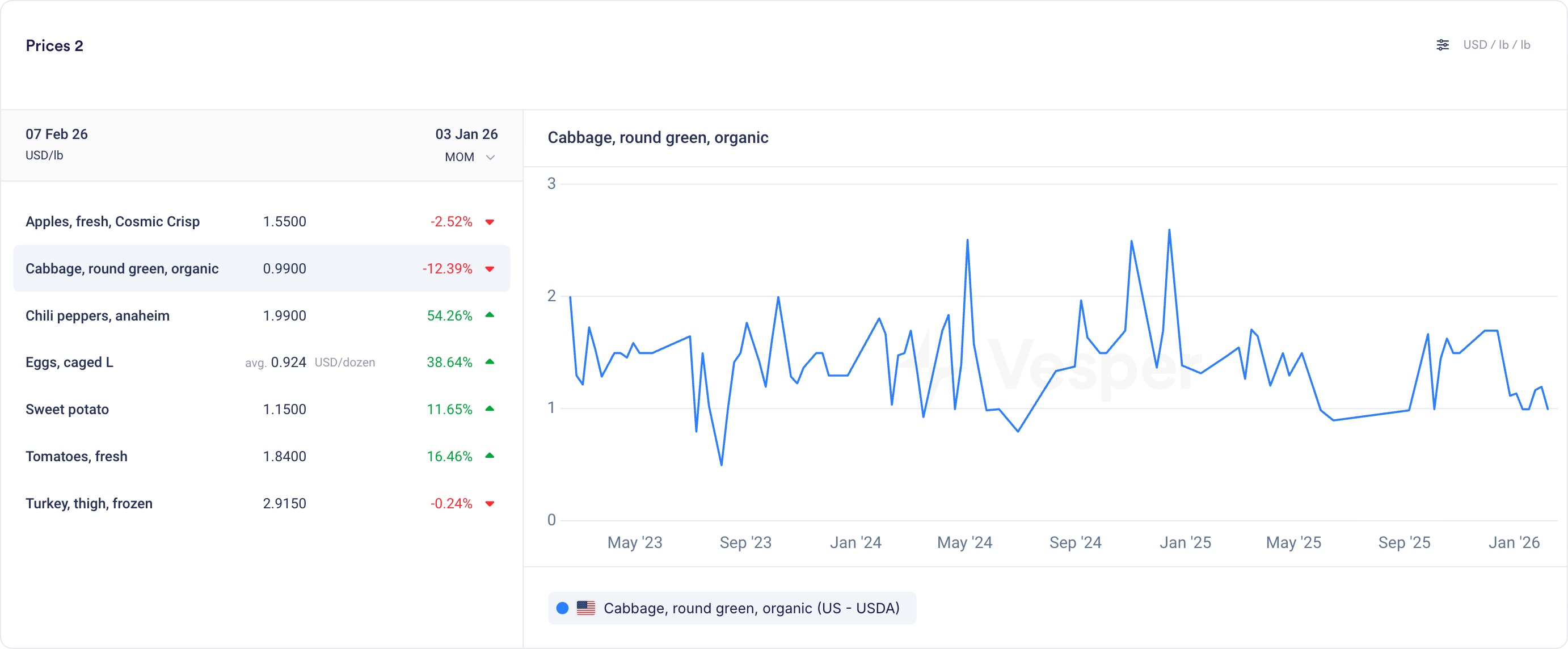
  • Prices Widget: Bookmark the US and EU prices for one-click access to the latest Wednesday publication.

  • Price Comparison: Compare the new WPC80 Regular prices to the Instant variant and use the Spread function to instantly visualize correlations, spot patterns, and track how the price gap evolves over time.

  • Cost Models: Select these new benchmarks as ingredients in your Cost Models to see product costs with WPC80 Regular as an ingredient.

How to access?

These benchmarks are live for all Vesper users with access to the Dairy module. Contact your customer success manager at [email protected] for help integrating these new indices into your dashboard.

Did you like this update?

LikeNeutralDislike

Weekly Forecasts

by Vesper Team, Product Marketing
New
Forecasting & Outlook
Improvement
AI
Data

Price forecasts now display weekly data points instead of monthly. The same 12-month coverage now gives you 52 weekly forecasts; 6-month coverage gives you 26 weekly forecasts.

What it does: Shows forecast at weekly intervals rather than monthly What you can do: Track expected price movements week-to-week and time purchases more precisely Why it matters: Spot trends between monthly intervals and answer the tactical question: commit this week or wait? Especially valuable when markets are volatile.


Pro Tip: If forecasts look flat due to scaling (multiple products or long price histories compress the view), zoom in on the graph, temporarily hide other products using the legend, or hover for exact forecasted values.

Did you like this update?

LikeNeutralDislike

Shipping and Freight Transport Prices

by Vesper Team, Product Marketing
New
Energy & Transport
Data
Partnerships

Vesper has launched Commodity Shipping Intelligence through an exclusive partnership with Upply, bringing freight rate benchmarks directly into the platform. This integration enables procurement teams to track delivered costs by combining commodity prices with real shipping rates for their specific inbound lanes—creating true landed cost visibility.

What's New:

  • Inbound Freight Benchmarks: Real shipping rates for strategic procurement routes, not generic freight indices

  • Upply Partnership Integration: Access to validated freight data from one of Europe's leading logistics intelligence providers

  • Route-Specific Pricing: Targeted lanes for commodity imports (origin ports to destination factories)

  • Multi-Modal Coverage: Ocean freight, road transport, and intermodal combinations where relevant

  • Integrated Cost Analysis: Combine commodity prices with freight to calculate true delivered costs

Why It Matters: Commodity prices at origin tell only half the story. With shipping costs representing 10-30% of delivered prices and extreme volatility in freight markets, procurement teams need visibility into both components. This integration transforms Vesper from a commodity price platform into a complete landed cost intelligence system—critical for accurate budgeting and supplier selection.

How to Use It:

  1. Search freight routes using origin-destination pairs in the platform search

  2. Add to dashboards alongside relevant commodity prices for complete cost tracking

How to access? Freight rates are available to all Vesper users who have access to the Energy and Transport category. For more information, contact [email protected].

Did you like this update?

LikeNeutralDislike

New: Deselect All Button

by Vesper Team, Product Marketing
Improvement
New
Vesper Toolbox

Clear your widget selections instantly with the new "Deselect all" button in dropdown menus. Start fresh analysis without manually removing each selection or dealing with cluttered views.

What it does: One click clears all active selections in a widget What you can do: Reset widgets to empty state for clean analysis Why it matters: Faster workflow, cleaner screens, less clicking

Find it in the dropdown menus across most widgets.

Did you like this update?

LikeNeutralDislike

Technical Analysis: Interpretable and actionable for all food commodity products

by Vesper Team
New
Vesper Toolbox
Forecasting & Outlook

Summary: Vesper has launched Technical Analysis, a new forward-looking capability that translates complex market behavior into clear, actionable timing signals. Previously reserved for trading experts using specialized tools, technical analysis is now accessible to every procurement professional through simple, visual indicators. This feature helps teams identify optimal buying windows by analyzing price patterns and momentum, delivering straightforward signals that answer the critical question: "When should I act?"—no financial expertise required.

What's New:

  • Three procurement-focused indicators that signal market timing without financial jargon

  • Moving Averages show if prices are trending above or below "normal" levels

  • MACD detects when price movements are accelerating or losing steam

  • RSI identifies when markets are overheated or oversold, highlighting potential reversals

  • Clean visual signals (green/red arrows + Interpreted text) that make complex analysis instantly understandable

Why It Matters: Fundamental data tells you why prices should move, but not when the market will react. Technical Analysis bridges this gap by revealing when markets start believing the fundamental story. In volatile markets where timing can mean the difference between saving and losing on purchases in volatile markets. These indicators help procurement teams spot early trend changes, identify optimal entry points, and avoid buying at market extremes, without requiring trading expertise.

How to Use It:

  1. Add Technical Analysis to any dashboard by using the search function

  2. View the summary panel showing all three indicators at a glance

  3. Green arrows indicate upward pressure/momentum, red indicates downward

  4. Click the extended view for in depth analysis of the indicators

  5. Combine with Vesper's other forward-looking tools for complete forward looking intelligence

Related Features: Technical Analysis completes Vesper's forward-looking toolkit:

  • AI Forecasting predicts where prices are headed (the "how much")

  • Dashboard fundamentals explain market drivers (the "why")

  • Market reports provide expert context

  • Now Technical Analysis reveals entry point (the "when")

Did you like this update?

LikeNeutralDislike

Custom Units Per Widget

by Vesper Team
New
Vesper Toolbox

Summary: Vesper has enhanced dashboard customization with the ability to set unique currency and unit preferences for each individual widget. This highly requested feature allows users to display multiple markets with different measurement standards side by side in their most relevant formats.

What's New:

  • Individual currency and unit settings for each widget

  • Widget-specific customization that persists independently of general settings

Why It Matters: Markets operate with different standards across regions and commodities. This enhancement eliminates the need to constantly toggle between general unit settings when analyzing diverse markets simultaneously. Users can now create truly customized multi-market dashboards that present each data series in its most relevant format.

How to Use It:

  1. Click the currency switcher in the top right of any widget

  2. Select your preferred currency and units for that specific widget

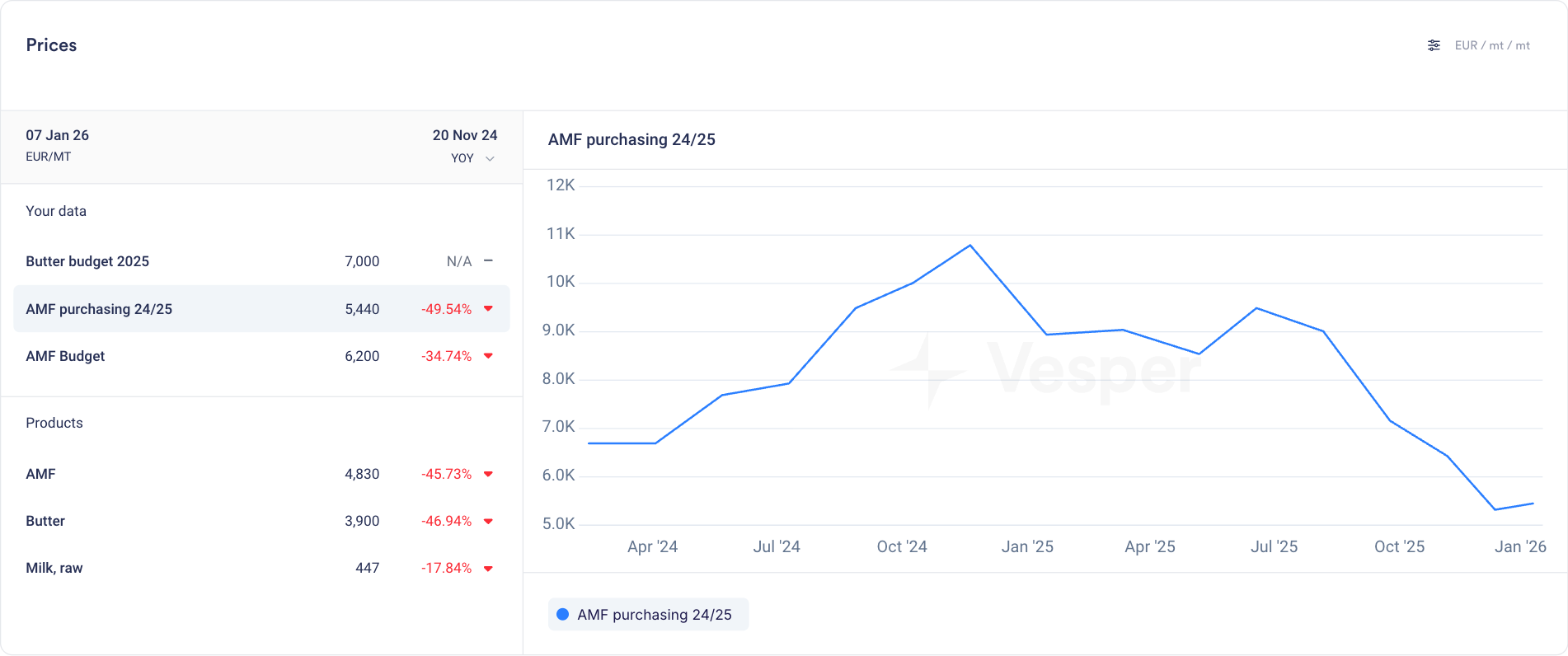
  3. Use the three dot widget menu to duplicate widgets as needed to select price sources in different currencies in the same dashboard

  4. Note that the general unit selector still functions but won't override your customized widgets

Related Features: This update complements other dashboard customization capabilities:

  • Custom dashboard creation

  • Analytical toolbox for cross-commodity comparison

  • One-click correlations checks

  • Exportable charts for reporting

Did you like this update?

LikeNeutralDislike

Supply and Demand Map Improvements

by Vesper Team
Improvement
Data

Enhanced S&D Map visualization now provides Year-to-Date (YTD) comparisons across regions, enabling instant visual insights into global production, import/export, and stock trends and regional shifts.

Why it Matters:"If I were interested to see where growth in EU milk production is happening, this would really quickly show me that it is not happening in Ireland, Netherlands or France. It's great for presentations, as not having to click through all countries at the same time makes it ideal for regions or groups of countries."

Jasper Endlich, Dairy Market Analyst

How to Use It:

  1. Find the World Map Widget in the S&D category

  2. Select your metric and timeframe of interest

  3. Compare countries and spot regional trends through color coding

  4. Export directly into presentations or add to your custom dashboards

Did you like this update?

LikeNeutralDislike

New Wheat Flour Cost Calculator

by Vesper Team
New
Grains & Feed
Data
Bakery

Summary: New wheat flour price calculator now available, combining MATIF milling wheat prices with production costs to estimate realistic flour market values.

What's New:

  • Wheat flour price calculation based on MATIF futures

  • Customizable input parameters including:

    • Wheat purchase price (FOB French Ports)

    • Original protein content

    • Target protein content

    • Vital wheat gluten price

  • Integration of key production cost factors:

    • Electricity consumption

    • Water usage

    • Milling efficiency rates

    • Labor costs

  • Medium-sized miller operational model

  • Located in Calculations Page under Grains & Feed

Why It Matters: Raw wheat prices tell only part of the story. This calculator helps you understand the full cost structure of flour production, enabling more informed negotiations and better prediction of price movements. Best of all, you can adjust the parameters to match your specific situation and market conditions.

How to Use It:

  1. How to Use It:

    1. Navigate to the Calculations Page

    2. Select Grains & Feed category

    3. Choose "Wheat Flour Price - MATIF" calculator

    4. Adjust the input parameters to match your needs

    5. View the calculated theoretical EXW flour price

Part of our expanded grains coverage in Q4 2024, which includes:

  • New import/export flow data for grains and flour

  • Enhanced production data coverage

  • Additional benchmark pricing for grains and flour products

Together, these tools give you a complete view of the market from trade flows to final product costs.

Did you like this update?

LikeNeutralDislike

Global Import/Export Data Expansion

by Vesper Team
Data
Nuts, Seeds & Dried Fruits
Bakery
Grains & Feed
Food Ingredients

Summary: Major expansion of global import/export data coverage across grains, nuts & seeds, and food ingredients - helping you track trade flows and assess supply & demand dynamics.

What's New:

  • Grains & Flour

    • Complete trade data for wheat, corn, and specialty grains

    • Coverage of various flour types and grain derivatives

    • Bakery product trade flows

  • Nuts, Seeds & Dried Fruits

    • Comprehensive data for tree nuts (both in-shell and shelled)

    • Coverage of dried fruits and specialty seeds

    • Full trade flow visibility for key origins

  • Food Ingredients

    • Starches & Gluten

    • Natural & artificial thickeners

    • Egg products & derivatives

    • Essential oils & flavorings

    • Food additives & preservatives

    • Sauces & condiments

Why It Matters: Import/export data provides crucial market context beyond prices. These trade flows help you:

  • Assess global supply & demand dynamics

  • Track market movements across regions

  • Identify emerging trends in your category

  • Make more informed buying decisions

How to Use It:

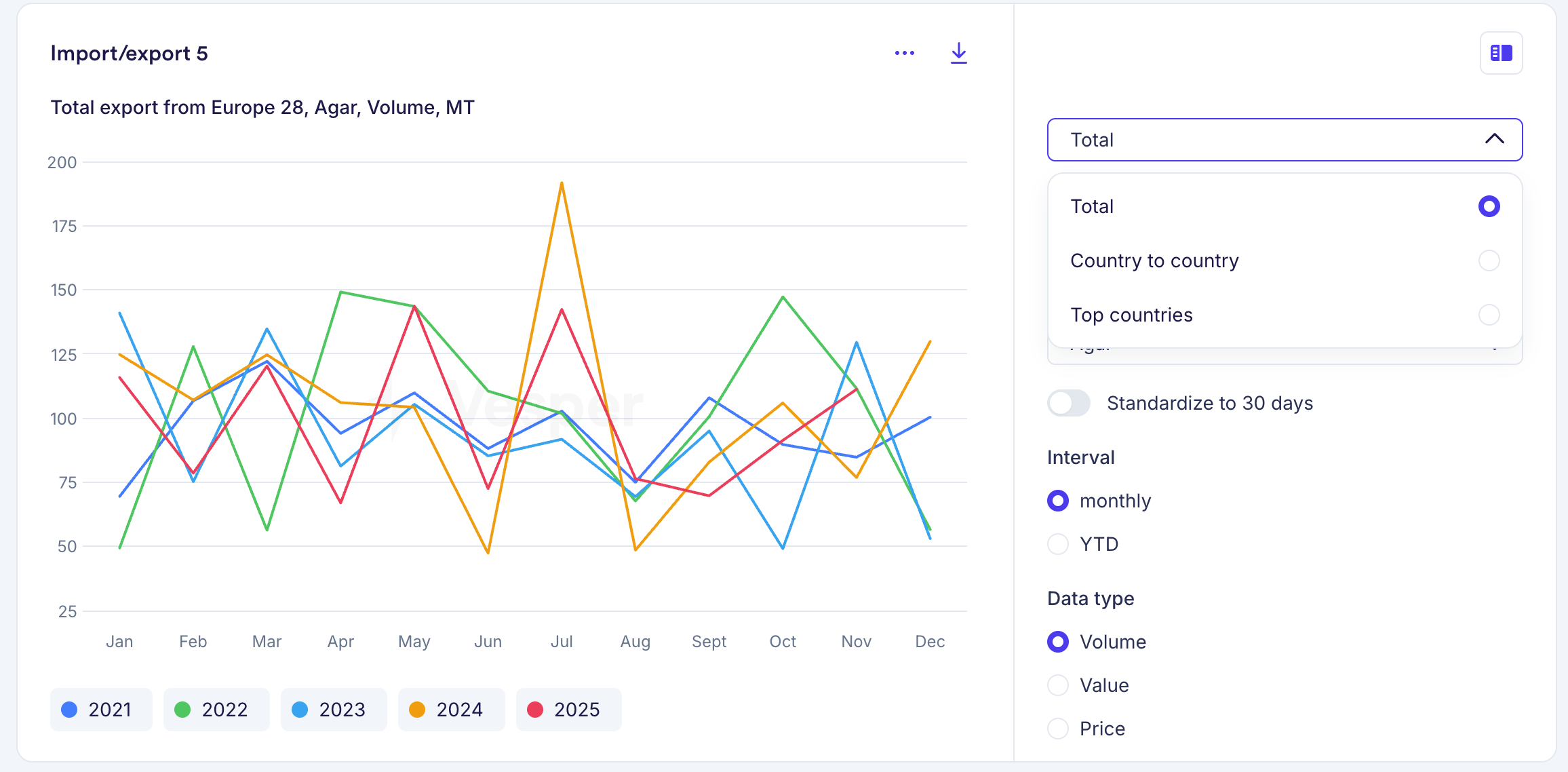
  1. Navigate to the Import/Export widgets

  2. Select your category and product

  3. View import/export flows through our interactive visualizations

  4. Use one of 5 different widgets to make trade data actionable

Note: This is our largest trade data expansion beyond our existing coverage in Dairy, Oils & Fats, and Sugar, with more categories coming soon.

Did you like this update?

LikeNeutralDislike