Vesper  Updates

New Vesper Price Index: Shea Butter & Derivatives

by Feiko Keilholz, Product Marketing
New
Cocoa
Oils & Fats
Chocolate, Confectionery & Ice Cream
Vesper Price Index (VPI)

Vesper has expanded its proprietary Shea & Cocoa equivalent fats coverage with 10 new Vesper Price Index (VPI) benchmarks for Shea butter and its derivatives. Published weekly, these benchmarks combine inputs from renowned brokers to bring transparency to one of the most opaque supply chains in the market.

What's New:

  • Expanded Shea Coverage: Weekly benchmarks for Crude, Semi-Refined, Handmade, Shea Olein, and Shea Oil across key West African origins (Ghana, Burkina Faso).

  • Broad Market Input: Prices derived from renowned brokers, combining inputs from multiple partners to ensure robust and unbiased market representation.

Why It Matters:

Public price transparency for Shea is extremely limited, leaving procurement teams to rely on fragmented signals or single-source quotes. These proprietary VPIs provide the independent reference needed to verify quotes in a notoriously non-transparent market. Especially with Cocoa price movements of the past years, this was a much-requested product from our users

How to Use It:

  • Prices Widget: Bookmark specific grades (e.g., Shea Stearin, Crude Shea Butter) for one-click access to the latest weekly prices.

  • Price Comparison: Compare different processing stages (e.g., Crude vs. Semi-Refined) to identify value opportunities and spot diverging trends between product types.

  • Cost Models: Select these Shea VPIs as ingredients in your Cost Models to forecast the total cost of confectionery, Chocolate or any other formulations using actual market data.

How to access?

Add to new or existing dashboards using the search function, or contact your Customer Success Manager at [email protected] to confirm which specific grades are currently active for your region.

Did you like this update?

LikeNeutralDislike

Weekly Forecasts

by Vesper Team, Product Marketing
New
Forecasting & Outlook
Improvement
AI
Data

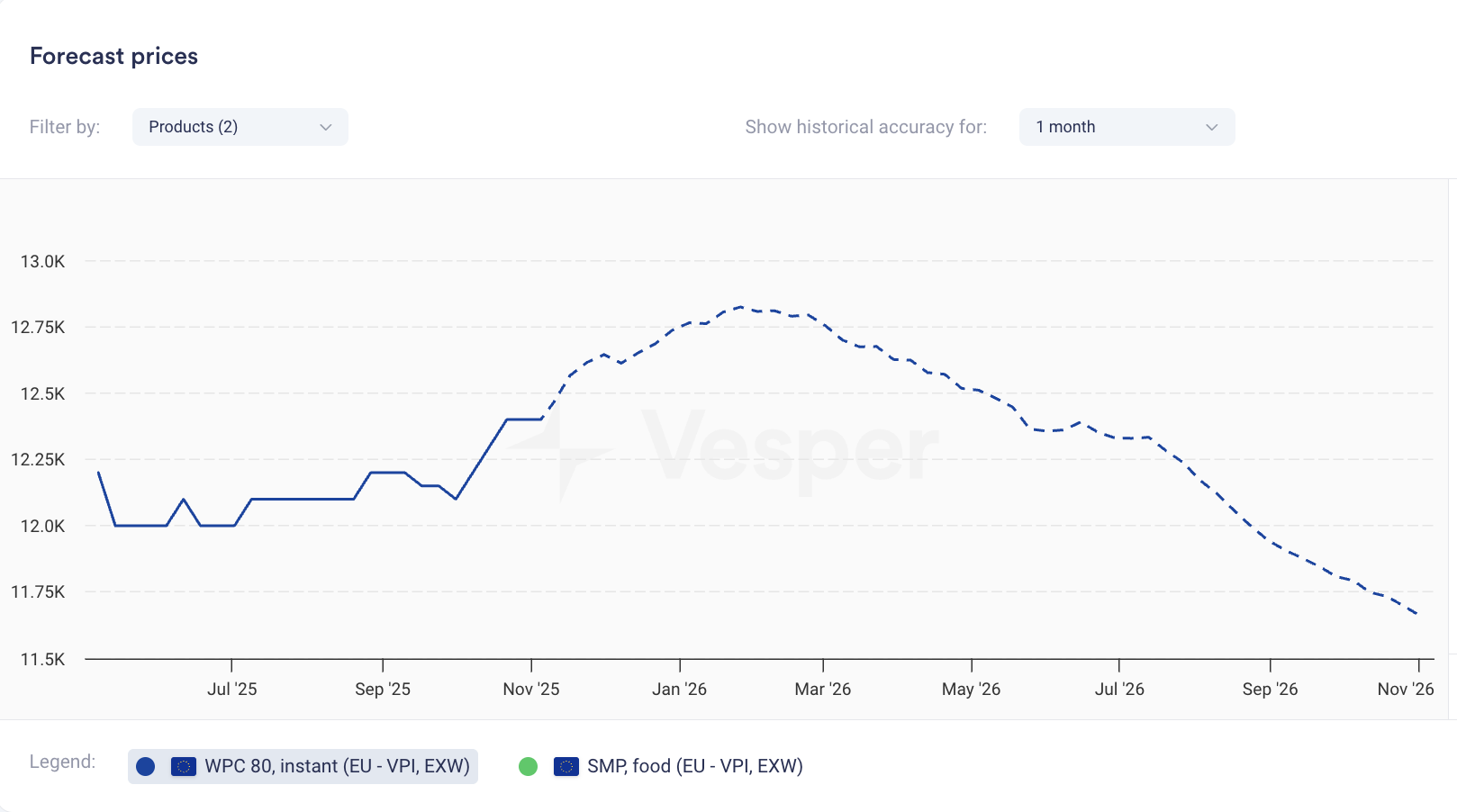
Price forecasts now display weekly data points instead of monthly. The same 12-month coverage now gives you 52 weekly forecasts; 6-month coverage gives you 26 weekly forecasts.

What it does: Shows forecast at weekly intervals rather than monthly What you can do: Track expected price movements week-to-week and time purchases more precisely Why it matters: Spot trends between monthly intervals and answer the tactical question: commit this week or wait? Especially valuable when markets are volatile.


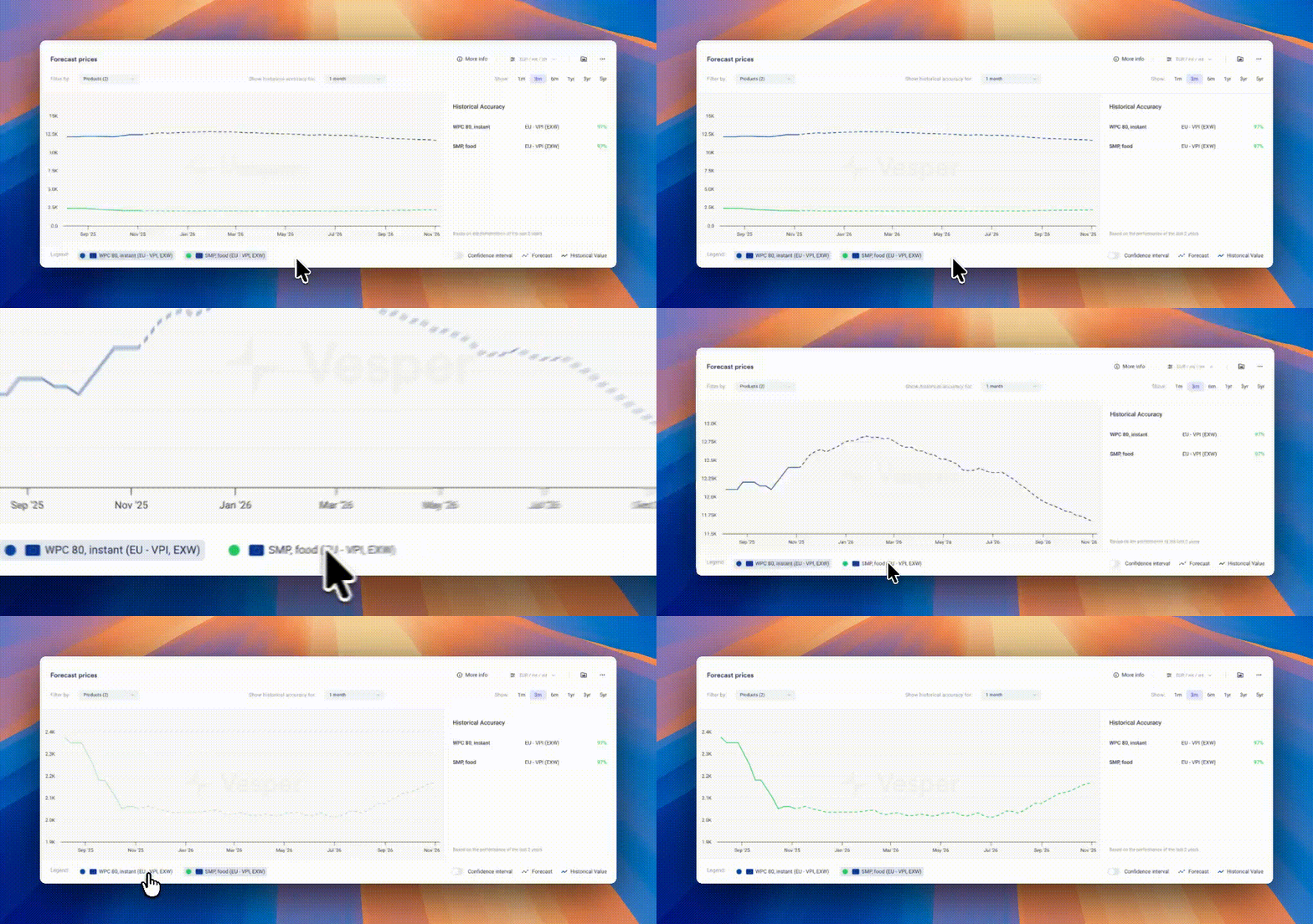
Pro Tip: If forecasts look flat due to scaling (multiple products or long price histories compress the view), zoom in on the graph, temporarily hide other products using the legend, or hover for exact forecasted values.

Did you like this update?

LikeNeutralDislike

1200 New Forecasted Prices Live

by Vesper team, Product Marketing
New
Forecasting & Outlook
Data
API, Download Data, Excel
AI

Vesper has Expanded Forecast Coverage, adding 1200+ new price forecasts across key commodity categories. This massive expansion adds price outlooks to previously unforecasted products, enabling procurement teams to anticipate price movements across their entire commodity basket—from coffee beans to meat cuts.

What's New:

  • 1200+ New Forecasts: Price predictions now available for products that previously showed only historical data

  • Multi-Category Coverage: Major expansion across Eggs, Grains, Meats, and Coffee categories

  • Enhanced Cost Model Predictions: More ingredients in your cost models now are part of forecasts

  • Deeper Market Visibility: Forward-looking insights for specialty and regional products that lacked predictive analytics

Why It Matters: Procurement decisions require forward visibility across all ingredients, not just major commodities. This expansion eliminates forecast gaps that forced teams to make assumptions about future prices. Now, whether you're buying specialty coffee blends or regional meat cuts, you have data-driven predictions to guide purchasing decisions and budget planning.

What's included?

  • Eggs: Shell eggs, liquid, and processed egg products

  • Grains: Wheat, corn, barley, and specialty grain varieties

  • Meats: Beef, pork, and poultry cuts across multiple regions

  • Coffee: Arabica, Robusta, and regional blend benchmarks

  • 12-month forecast horizons (where data availability permits)

  • Automatic integration with existing cost models

Did you like this update?

LikeNeutralDislike

Direct Widget Data Download

by Vesper Team, Product Marketing
New
API, Download Data, Excel
Data

Vesper has launched Direct Widget Data Export, streamlining how users extract data from the platform. This feature eliminates the multi-step process of navigating to separate download centers, allowing instant data exports directly from any widget you're viewing—saving valuable time for teams that need to quickly move data into reports, models, or presentations.

What's New:

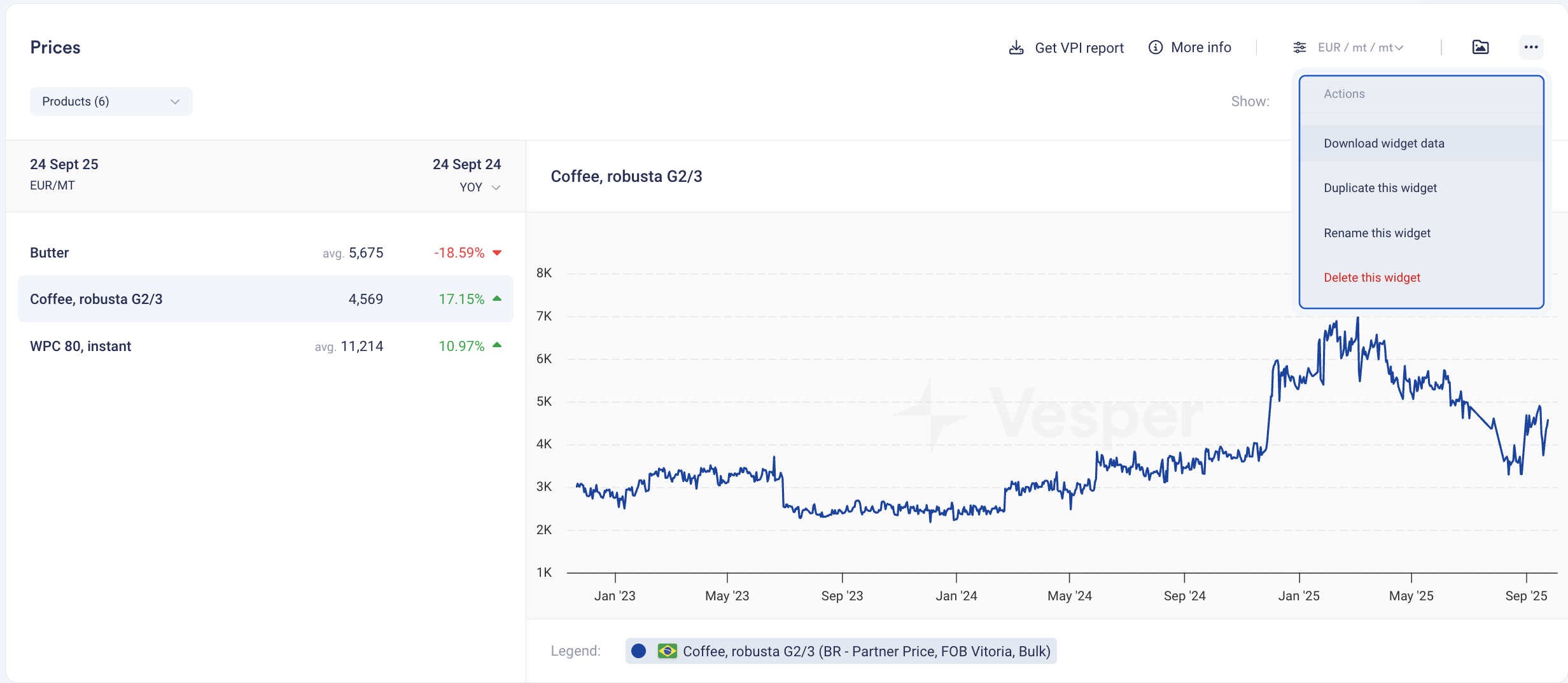
  • One-Click Export: Download data directly from the three-dots menu in any compatible widget

  • Instant Access: No need to navigate to Data Download or remember complex product names

  • Multi-Widget Support: Works across Prices, Price Forecasts, Production, Import/Export, and Stock widgets

  • Format Preservation: Data exports match the exact view and timeframe displayed in your widget

  • Simplified Workflow: From insight to Excel in seconds

How to Use It:

  1. Navigate to any widget showing the data you need

  2. Click the three dots in the top-right corner of the widget

  3. Select "Download" from the dropdown menu

  4. Access your file immediately in your email inbox

  5. Paste into your model or report—formatted and ready to use

How to access? This feature is live for all users with Download data across the platform. No setup required. To get access please reach out to your customer success manager or [email protected]

Did you like this update?

LikeNeutralDislike

Vesper for Excel

by Vesper Team, Product Marketing
New
Data
API, Download Data, Excel

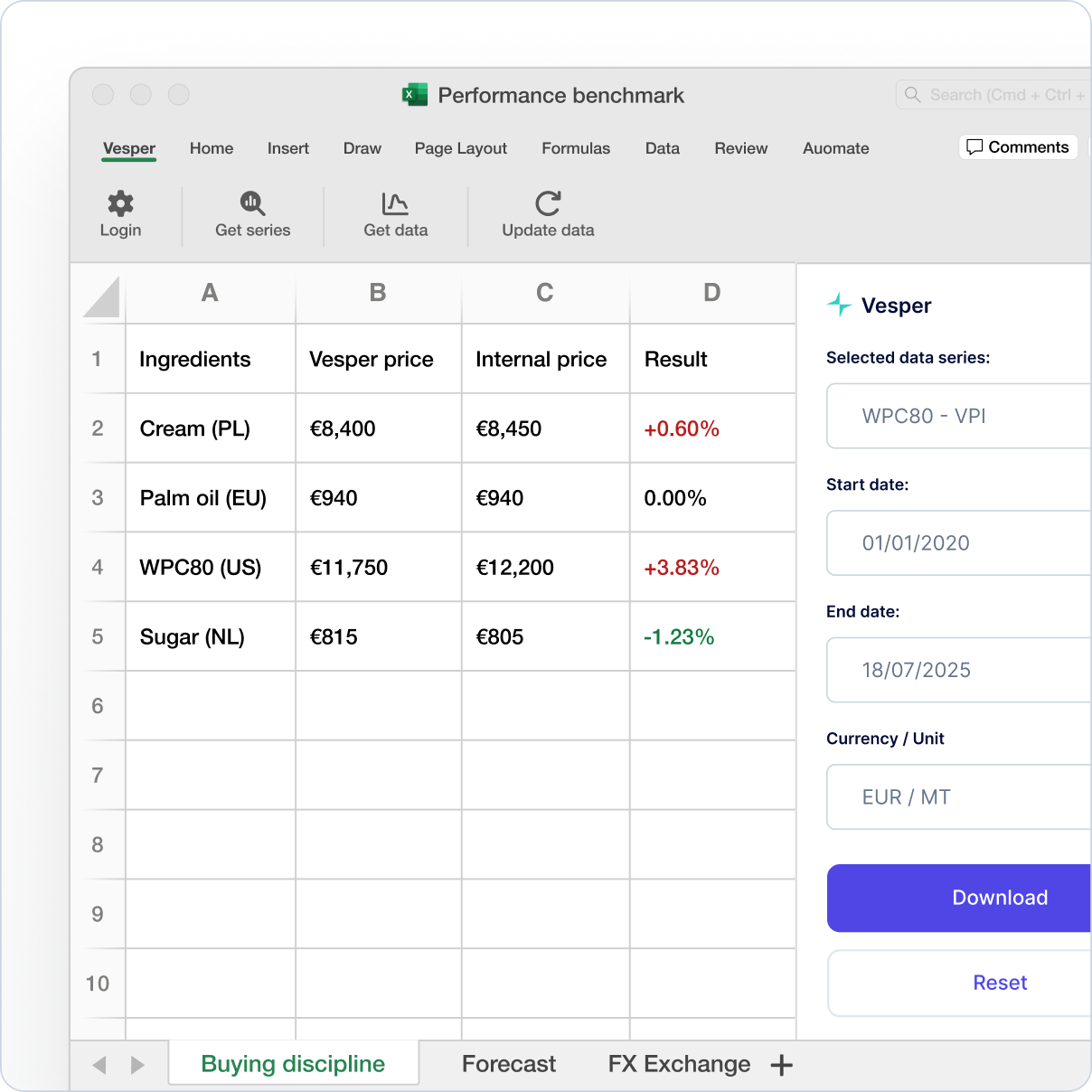
Vesper has launched Vesper for Excel, a powerful new integration that brings Vesper's live commodity intelligence directly into your spreadsheets. This feature eliminates manual data entry, allowing teams to spend less time maintaining spreadsheets and more time analyzing markets with real-time data feeding directly into the models and templates they already use.

What's New:

  • One-Click Refresh: Update all Vesper data in your spreadsheets instantly. With a single click, you can access real-time prices, forecasts, FX rates, and fundamentals.

  • Direct Data Access: Pull data from over 160 global sources directly into any cell in your spreadsheet.

  • Native Integration: Vesper for Excel lives natively within your Excel, integrating seamlessly with your existing workflow and templates.

  • No Coding Required: Perfect for procurement, finance, and sales teams who need live data in spreadsheets without any technical overhead.

Why It Matters: The time spent on manual data collection and entry is time lost on strategic analysis. Vesper for Excel automates this process, ensuring the latest market information always powers your most critical models. It shifts your team's focus from data maintenance to data-driven decision-making.

How to Use It:

  1. Download the add-in from the Microsoft Excel marketplace.

  2. Log in with your Vesper API Excel key.

  3. Set up once by using the Vesper for Excel sidebar to choose the data you need (e.g., commodity, price type, date range).

  4. Click "Refresh" at any time to update all data points in your sheet instantly.

How to access? Reach out to your customer success manager or [email protected] to learn more about the Excel Add-in or the various options to extract or integrate Vesper data directly into your workflows

What data? Vesper for Excel offers seamless access to Vesper's data:

  • Vesper Price Index (VPI)

  • Partner and Public price benchmarks

  • Forecasts for Price, Production, and Stock levels

  • FX rates

  • Global trade data

  • S&D/Fundamental data

  • Stock levels

Learn more

Did you like this update?

LikeNeutralDislike

New: Deselect All Button

by Vesper Team, Product Marketing
Improvement
New
Vesper Toolbox

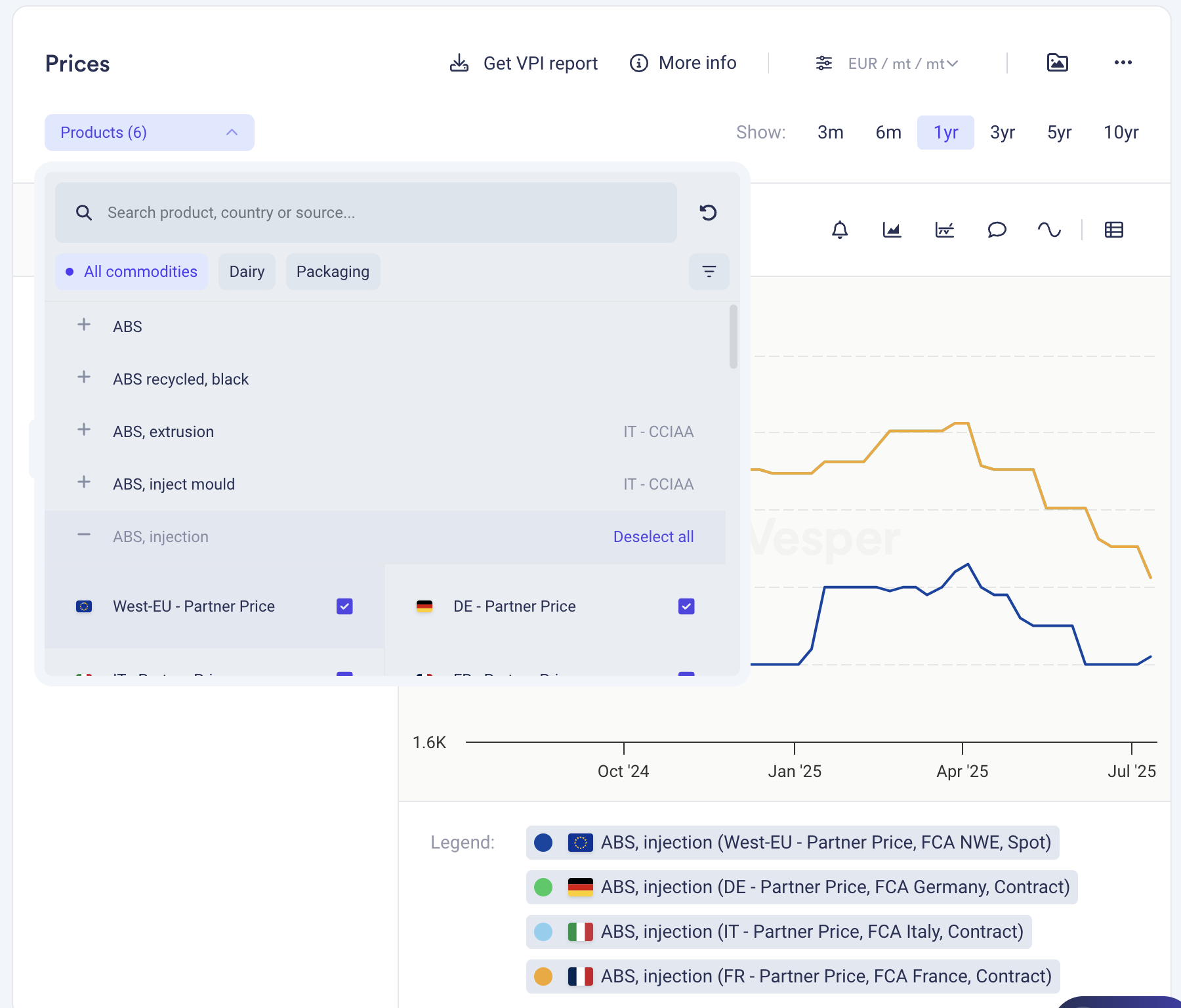
Clear your widget selections instantly with the new "Deselect all" button in dropdown menus. Start fresh analysis without manually removing each selection or dealing with cluttered views.

What it does: One click clears all active selections in a widget What you can do: Reset widgets to empty state for clean analysis Why it matters: Faster workflow, cleaner screens, less clicking

Find it in the dropdown menus across most widgets.

Did you like this update?

LikeNeutralDislike

Technical Analysis: Interpretable and actionable for all food commodity products

by Vesper Team
New
Vesper Toolbox
Forecasting & Outlook

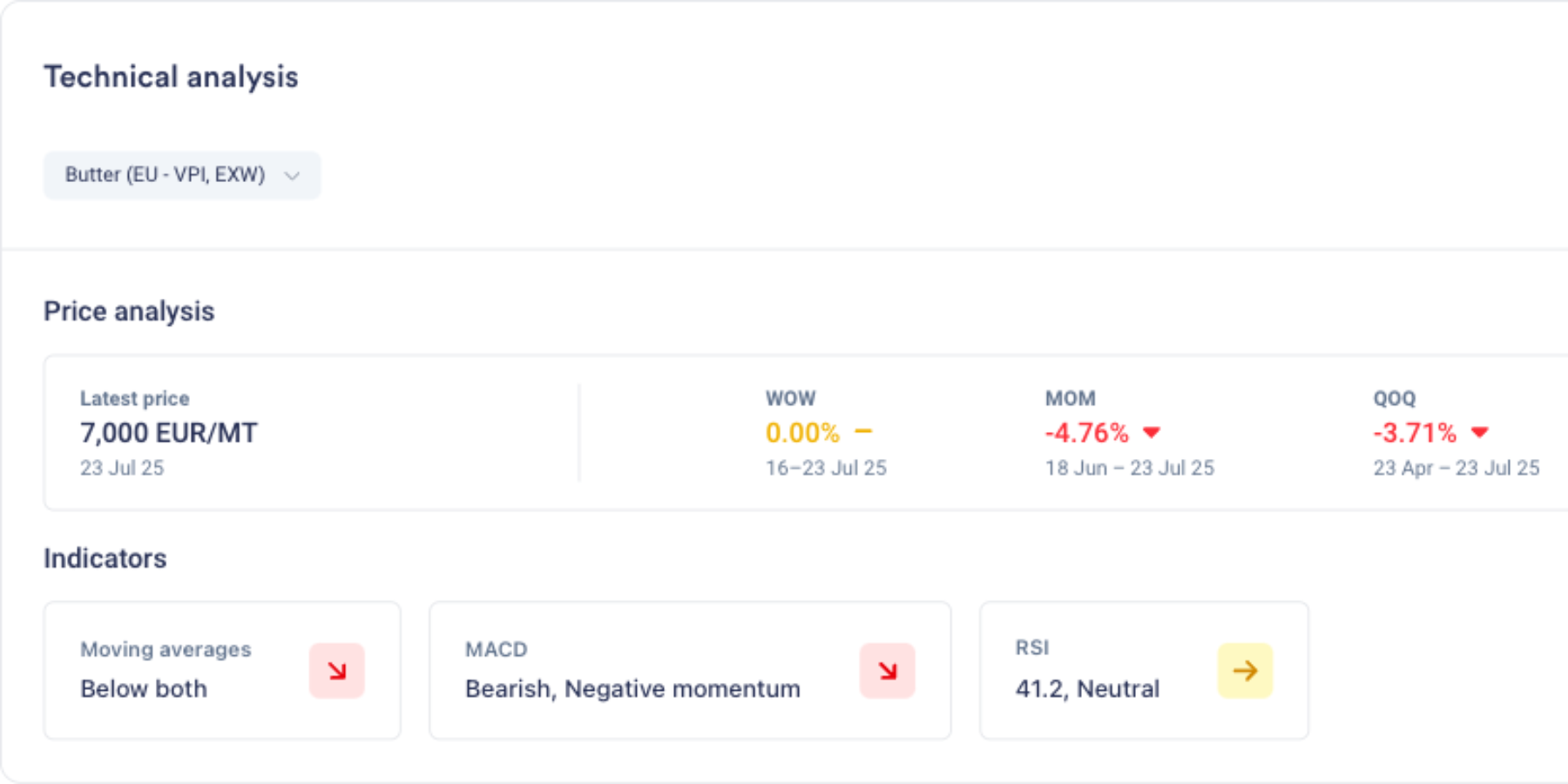
Summary: Vesper has launched Technical Analysis, a new forward-looking capability that translates complex market behavior into clear, actionable timing signals. Previously reserved for trading experts using specialized tools, technical analysis is now accessible to every procurement professional through simple, visual indicators. This feature helps teams identify optimal buying windows by analyzing price patterns and momentum, delivering straightforward signals that answer the critical question: "When should I act?"—no financial expertise required.

What's New:

  • Three procurement-focused indicators that signal market timing without financial jargon

  • Moving Averages show if prices are trending above or below "normal" levels

  • MACD detects when price movements are accelerating or losing steam

  • RSI identifies when markets are overheated or oversold, highlighting potential reversals

  • Clean visual signals (green/red arrows + Interpreted text) that make complex analysis instantly understandable

Why It Matters: Fundamental data tells you why prices should move, but not when the market will react. Technical Analysis bridges this gap by revealing when markets start believing the fundamental story. In volatile markets where timing can mean the difference between saving and losing on purchases in volatile markets. These indicators help procurement teams spot early trend changes, identify optimal entry points, and avoid buying at market extremes, without requiring trading expertise.

How to Use It:

  1. Add Technical Analysis to any dashboard by using the search function

  2. View the summary panel showing all three indicators at a glance

  3. Green arrows indicate upward pressure/momentum, red indicates downward

  4. Click the extended view for in depth analysis of the indicators

  5. Combine with Vesper's other forward-looking tools for complete forward looking intelligence

Related Features: Technical Analysis completes Vesper's forward-looking toolkit:

  • AI Forecasting predicts where prices are headed (the "how much")

  • Dashboard fundamentals explain market drivers (the "why")

  • Market reports provide expert context

  • Now Technical Analysis reveals entry point (the "when")

Did you like this update?

LikeNeutralDislike

Cost Models: Turn commodity benchmarks into product pricing

by Vesper Team
New
Food Manufacturing
Retail
Cost Models

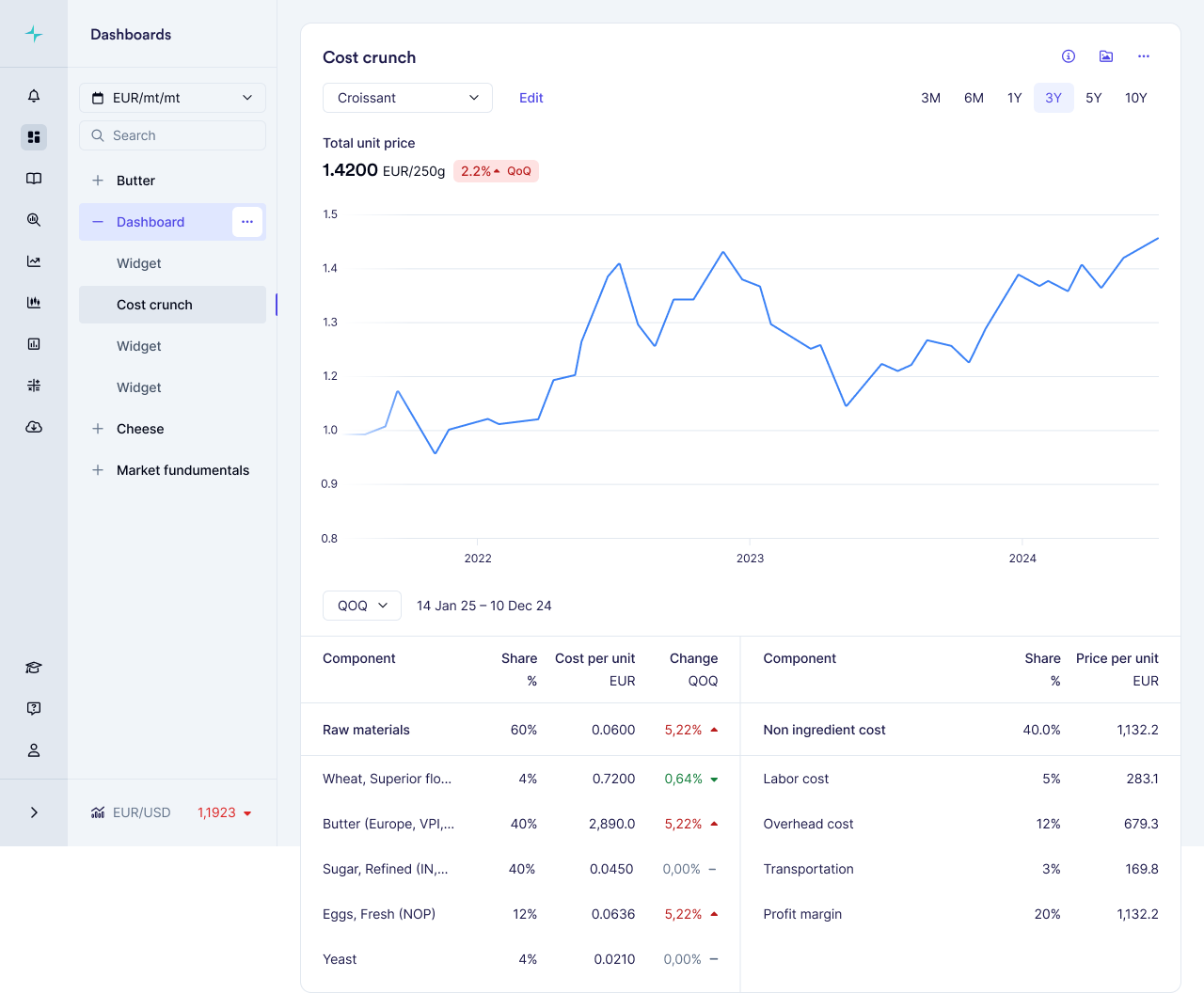
Summary: Vesper has launched Cost Models, a powerful new feature that transforms individual commodity benchmarks into complete product cost insights. This capability allows food manufacturers to combine weighted commodity benchmarks with standardized non-ingredient costs to build accurate product pricing models, delivering unprecedented visibility into true product economics.

What's New:

  • Build complete product cost models by combining multiple commodity benchmarks with precise weightings

  • Access industry-standard non-ingredient costs (labor, manufacturing, overhead) specific to your region

  • Choose from our template library for common food products or create custom models

  • Track how each component contributes to your total product cost with automatic updates whenever source prices change

Why It Matters: With record-high volatility across food commodities, understanding how ingredient changes impact finished products is critical for maintaining margins. Cost Models provide complete cost structure visibility for your entire organization: procurement teams can verify supplier price increases, finance can track margin impacts across product portfolios, and sales teams can justify price adjustments to customers with independently verified data. Non-ingredient costs can represent up to 47% of total product costs—a critical component that's now visible alongside your commodity benchmarks.

How to Use It:

  1. Access Cost Models through the main dashboard menu

  2. Choose between starting with a template or building a model from scratch

  3. Select ingredients from your available commodities and assign precise weightings

  4. Add country-specific non-ingredient costs by selecting your industry and location

  5. Save your model to track cost evolution over time as prices update automatically

Related Features: Cost Models integrates seamlessly with Vesper's existing capabilities:

  • Individual commodity price benchmarks (VPI, Partner prices, and Public benchmarks found in prices widgets)

  • Incorporate into your own custom dashboards

  • Coming in Q3 2025: Forecasting capabilities for your cost models

Did you like this update?

LikeNeutralDislike

Fruits, Vegetables & Pulses News

by Vesper Team
New
Vegetables & Pulses
Fruit
News & Alerts

Summary: Vesper has expanded its news coverage with two dedicated categories: Vegetables & Pulses and Fruits. These new sections deliver focused, timely information on fresh produce markets, including harvest conditions, logistics updates, weather disruptions, pricing trends, and market developments.

What's New:

  • Dedicated news category for Vegetables & Pulses

  • Dedicated news category for Fruits

  • Comprehensive coverage of global fresh produce markets

  • Integration with existing news filtering and alert capabilities

Why It Matters: Fresh produce represents critical input markets for many of our core users. These new categories significantly deepen our current coverage, which has primarily focused on price benchmarks until now. By adding dedicated news streams, users gain deeper insights and earlier warning signals about market developments before they impact prices. This expanded coverage provides essential visibility into volatile produce markets, helping users anticipate supply disruptions, track pricing pressures, and identify emerging trends. This expansion responds directly to user feedback requesting more comprehensive coverage across the complete ingredient spectrum.


How to Use It:

  1. Find the new categories in the News section of the platform

  2. Set up custom alerts for specific commodities within these categories

  3. Filter news by these categories to focus on produce-specific updates

Related Features: These news categories complement Vesper's existing offerings:

  • Smart news filtering and aggregation

  • Custom news alerts

  • Fruits and Vegetables price benchmarks on the Dashboard

Read the latest news

Did you like this update?

LikeNeutralDislike