Vesper  Updates

Commodity Copilot available from every dashboard

by Vesper Team
Improvement
AI

Commodity Copilot is now accessible from any dashboard through a side panel. Ask questions as you work with your data.

What's new:

  • Copilot side panel is available on every dashboard. Open it without leaving your current view.

  • See your prices, charts, and reports on the left. Ask Copilot about them on the right.

  • Spot something in the data you want to understand? Just ask.

Why this matters:

Before this update, using Copilot meant navigating to a separate page. Now you can look at a price move in your chart and ask what's driving it without losing your place. Data and interpretation, side by side.

How to access?

Open the Copilot side panel using the icon in the top-right of any dashboard, or contact your Customer Success Manager at [email protected].
Consolidated Import/Export, Supply & Demand, and Futures Widgets

by Vesper Team
Improvement

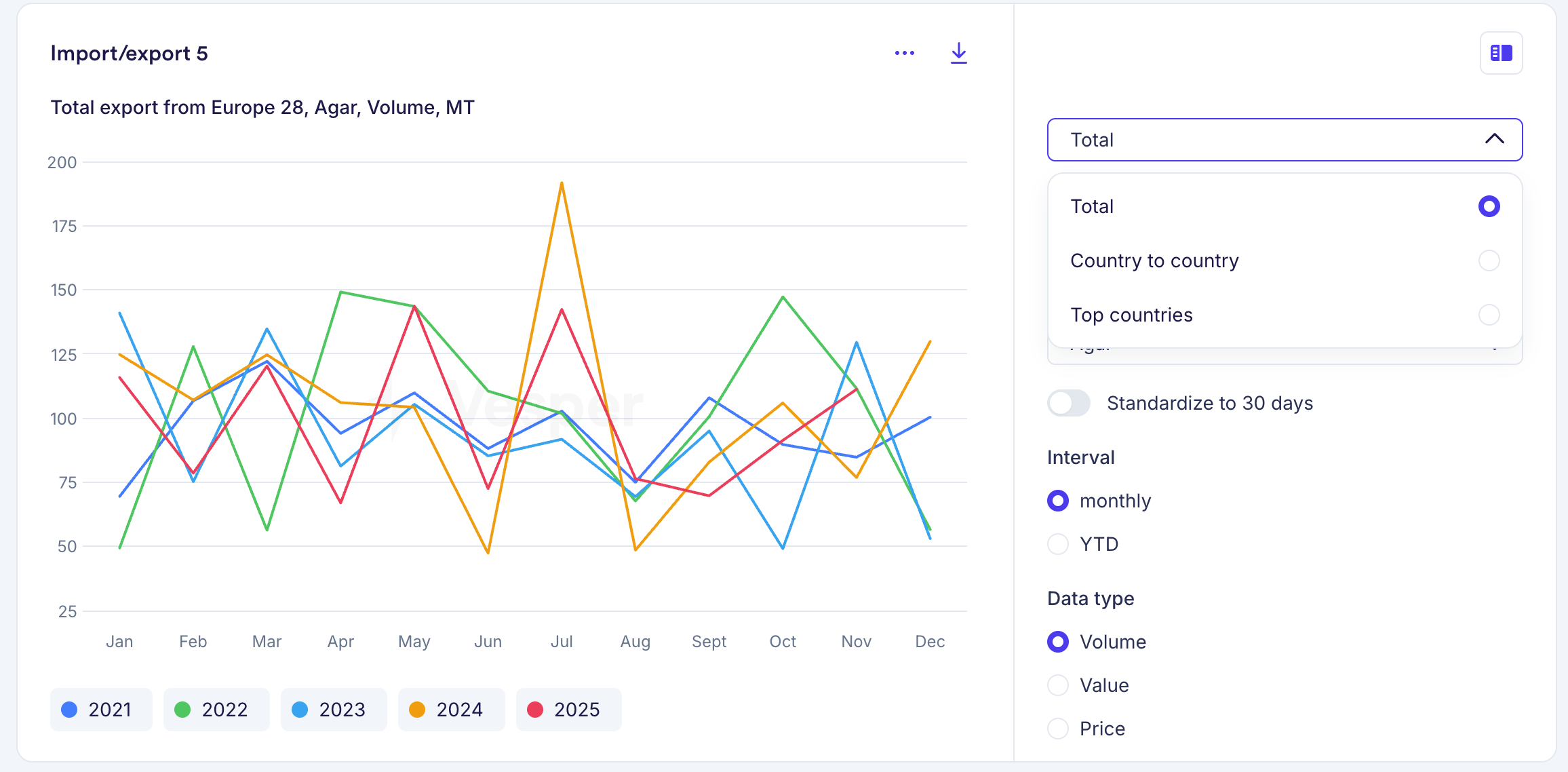
Import/Export, Supply & Demand, and Futures widgets each had multiple versions for different views of the same data. These are now consolidated into a single widget per data type. For example, where you previously had three separate Futures widgets, you now have one that covers all views.

What's new

  • Toggle between table and graph views within each widget

  • Switch between historical and forward data without leaving the widget

  • All controls are built into the widget, so one widget now does the job of several

Your existing widgets have been automatically replaced with the new versions, using the same parameters you had selected. Nothing changes to your dashboards. If you want different views side by side, you can duplicate a widget and set each one to a different view.

Why this matters

Where you previously needed multiple widgets to see the same data in different formats, one widget now covers it. Dashboards stay cleaner, and you spend less time setting up views.

On mobile, the consolidated widgets will follow at a later stage. For now, the previous versions remain available there.

Did you like this update?

LikeNeutralDislike

Major US Price Expansion: 286 New USDA Series

by Vesper Team
New
Data
Vegetables & Pulses
Fruit
Meat & Poultry
Food Ingredients
Grains & Feed
Oils & Fats
Herbs & Spices
Chemicals
Sugar & Sweeteners

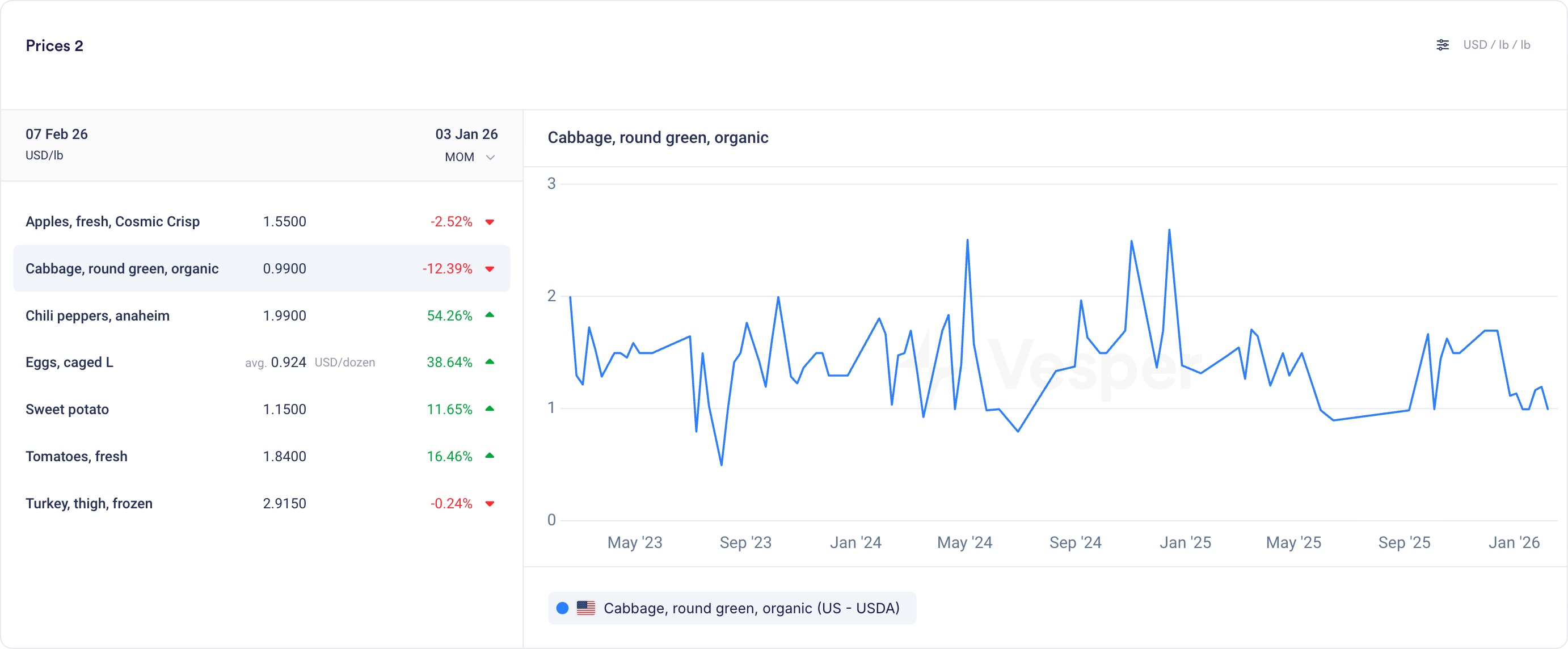
Vesper now includes 286 new price series from 13 USDA MARS reports, one of the most widely referenced public pricing sources in US agricultural markets. This is our largest single USDA expansion to date.

What's New:

  • Vegetables & Pulses: 107 new price series including potatoes, tomatoes, bell peppers, onions, carrots, broccoli, squash, black beans, pinto beans, lentils, chickpeas, and yellow peas

  • Fruits: 80 new price series covering apples (Gala, Honeycrisp, Fuji, Cosmic Crisp and more), oranges, grapes, strawberries, peaches, pears, bananas, kiwi, and watermelon, including organic variants

  • Meat & Poultry: 39 new price series for beef primal cuts (ribeye, tenderloin, strip loin, chuck, round), lamb (rack, leg, shoulder), turkey (whole, breast, drumsticks, wings), hog, and cattle live/dressed weight prices

  • Food Ingredients: 29 new price series for eggs (caged and free-range across multiple sizes and regions) and ethanol

  • Grains & Feed: 14 new price series for alfalfa, corn (food and feed grade), soybean, DDGS, corn gluten, cottonseed, canola meal, and blood meal

  • Oils & Fats: 8 new price series including choice white grease and animal fat derivatives

  • Herbs & Spices: 5 new price series for jalapeño, serrano, poblano, anaheim chili peppers, and garlic

  • Chemicals: 3 new price series

  • Sugar: 1 new price series

See the complete product list for all 286 series.

Why It Matters:

USDA MARS reports are among the most commonly referenced pricing benchmarks in US agricultural markets. These 286 series bring that coverage directly into Vesper, so you can track US prices for fresh produce, proteins, grains, feed ingredients, and eggs alongside your existing European and global series, all in one place.

How to Use It:

  • Prices Widget: Search for specific products (e.g., "beef ribeye" or "apples Honeycrisp") to bookmark USDA MARS prices alongside your existing series

  • Price Comparison: Compare USDA US prices with European or global equivalents for with different prodcut names

  • Cost Models: Add USDA ingredient prices to your cost models for a more complete picture of US-sourced product costs

How to access?

Add to new or existing dashboards using the search function, or contact your Customer Success Manager at [email protected] for any questions.

121 new EU and UK packaging price series

by Vesper Team
New
Data
Packaging

Vesper now covers 121 monthly packaging price series across EU and UK markets, including 76 products created for this expansion. Coverage spans paper, plastics, glass, and metals.

What's new:

  • 121 monthly packaging price series, now live
  • 76 newly created packaging products
  • Materials covered: paper and cardboard (corrugated, cartonboard, kraft), plastics (PET, HDPE, flexible films), glass (bottles, containers), metals (tinplate, aluminium)
  • Geographic scope: EU and UK markets

Why this matters:

Packaging is one of the largest indirect cost categories for food manufacturers. Price swings in paperboard or PET can move margins just as much as ingredient costs. With independent benchmarks for packaging materials, you can track costs over time and verify supplier proposals against market data.

How to Use It:

  • Prices Widget: search by packaging material, product type, or market
  • Price Comparison: compare packaging prices across materials or regions
  • Cost Models: add packaging cost lines alongside ingredient costs in a single model

How to access?

Add to new or existing dashboards using the search function, or contact your Customer Success Manager at [email protected].

205 new Mexico price series from SNIIM

by Vesper Team
New
Data
Fruit
Vegetables & Pulses
Herbs & Spices
Grains & Feed
Nuts, Seeds & Dried Fruits

Vesper has added 205 price series from SNIIM, Mexico's national food price information system. This update includes 168 products that are new to the platform.

What's new:

  • 205 new price series from SNIIM (Sistema Nacional de Información e Integración de Mercados)
  • 168 newly created products
  • Coverage by category:
    • Fruits: 86 series
    • Vegetables & Pulses: 76 series
    • Herbs & Spices: 24 series
    • Grains & Feed: 9 series
    • Nuts, Seeds & Dried Fruit: 6 series
    • Beverages: 2 series
    • Sugar: 2 series

Why this matters:

Mexico is a major origin market for fresh produce, herbs, and specialty ingredients sourced by North American and European food manufacturers. SNIIM data gives buyers an official government reference for regional spot prices. Useful for verifying quotes, tracking seasonal price patterns, and benchmarking cross-border sourcing for categories like avocados, chilies, tomatoes, and tropical fruit.

How to Use It:

  • Prices Widget: search by product name or filter by Mexico as origin market
  • Price Comparison: compare SNIIM prices against other regional sources for the same commodity
  • Cost Models: add Mexican produce prices as inputs to ingredient cost models

How to access?

Add to new or existing dashboards using the search function, or contact your Customer Success Manager at [email protected].

Weekly Forecasts

by Vesper Team, Product Marketing
New
Forecasting & Outlook
Improvement
AI
Data

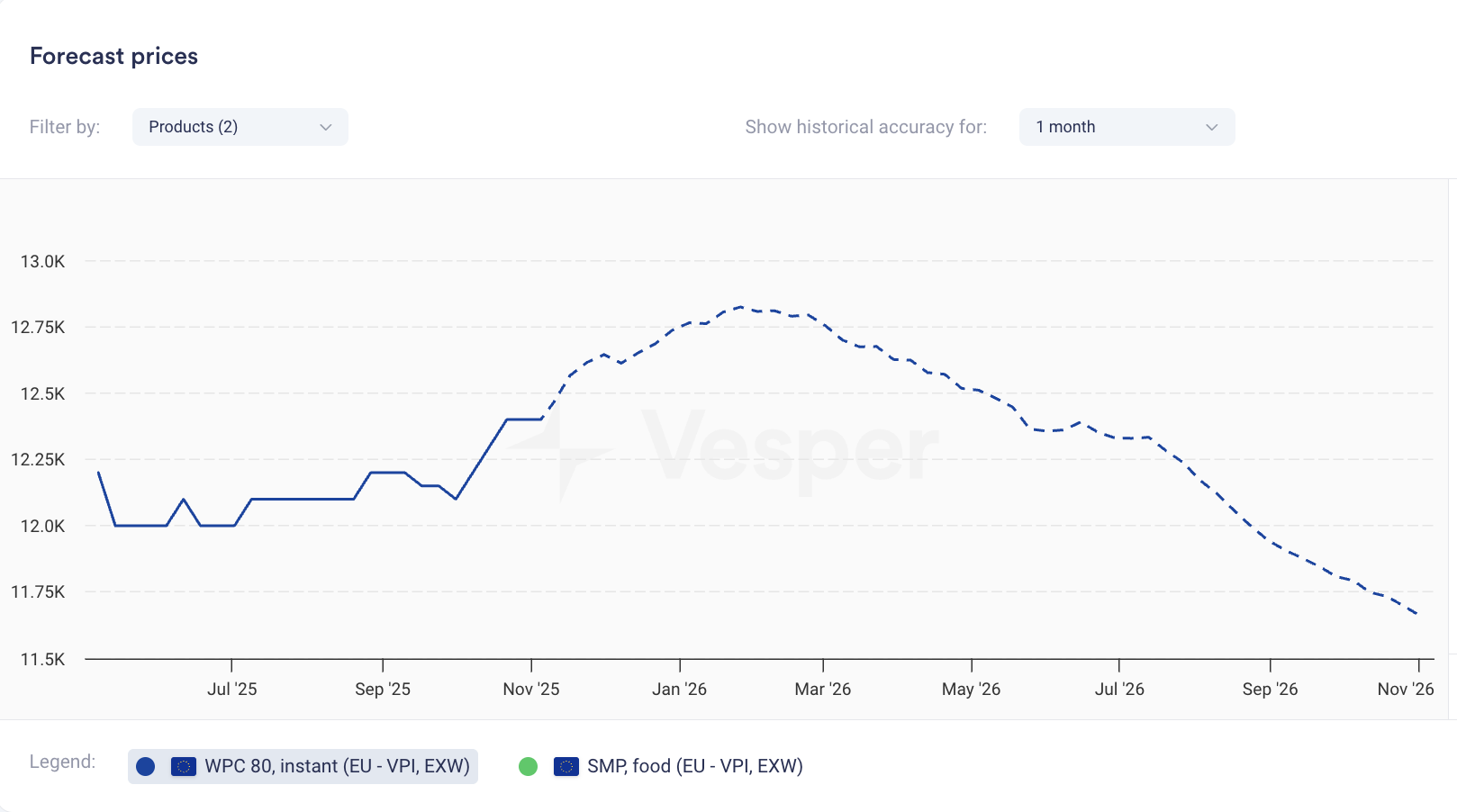
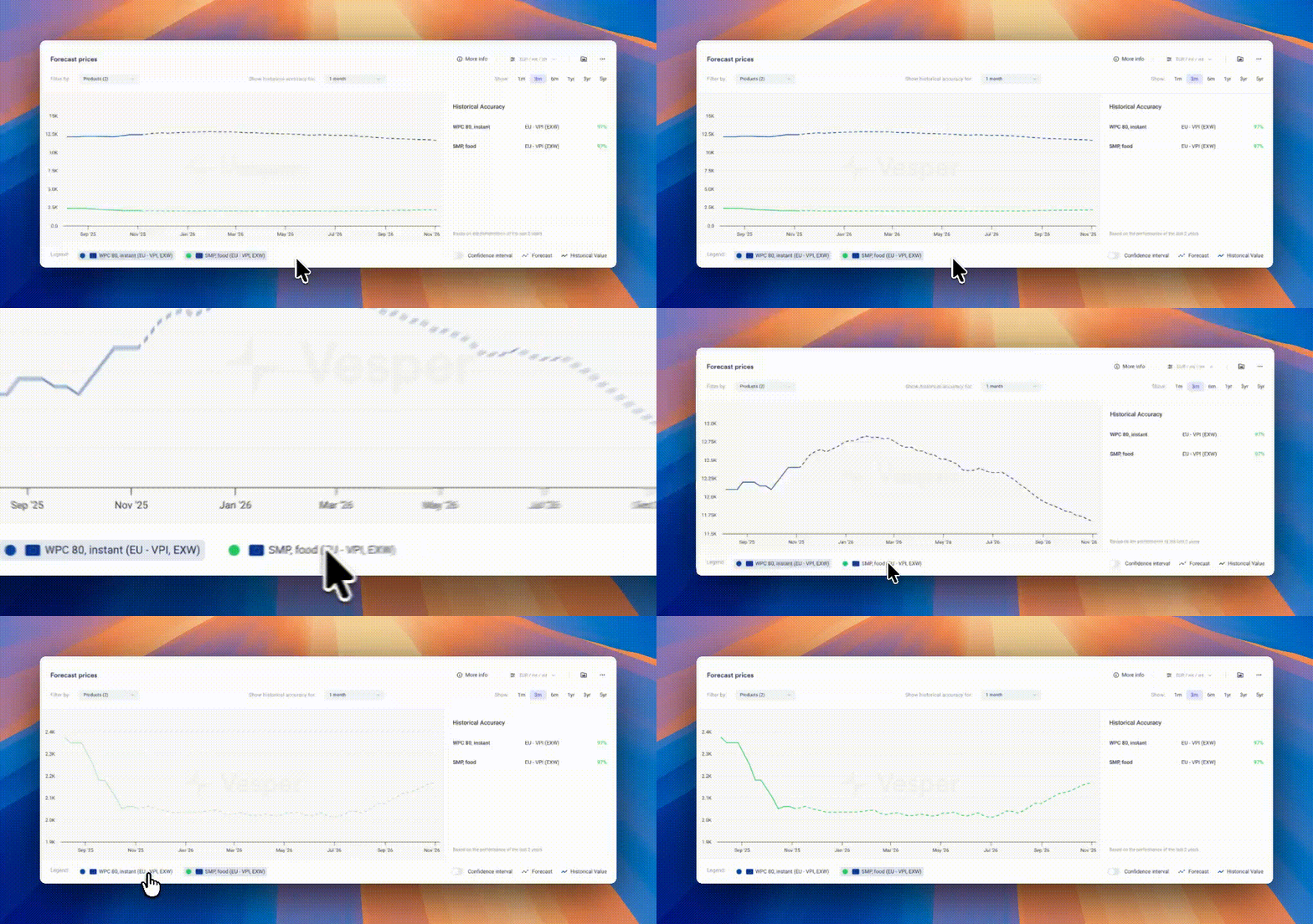
Price forecasts now display weekly data points instead of monthly. The same 12-month coverage now gives you 52 weekly forecasts; 6-month coverage gives you 26 weekly forecasts.

What it does: Shows forecast at weekly intervals rather than monthly What you can do: Track expected price movements week-to-week and time purchases more precisely Why it matters: Spot trends between monthly intervals and answer the tactical question: commit this week or wait? Especially valuable when markets are volatile.


Pro Tip: If forecasts look flat due to scaling (multiple products or long price histories compress the view), zoom in on the graph, temporarily hide other products using the legend, or hover for exact forecasted values.

Did you like this update?

LikeNeutralDislike

Packaging News Category

by Vesper Team, Product Marketing
New
Mobile
Packaging
News & Alerts
AI

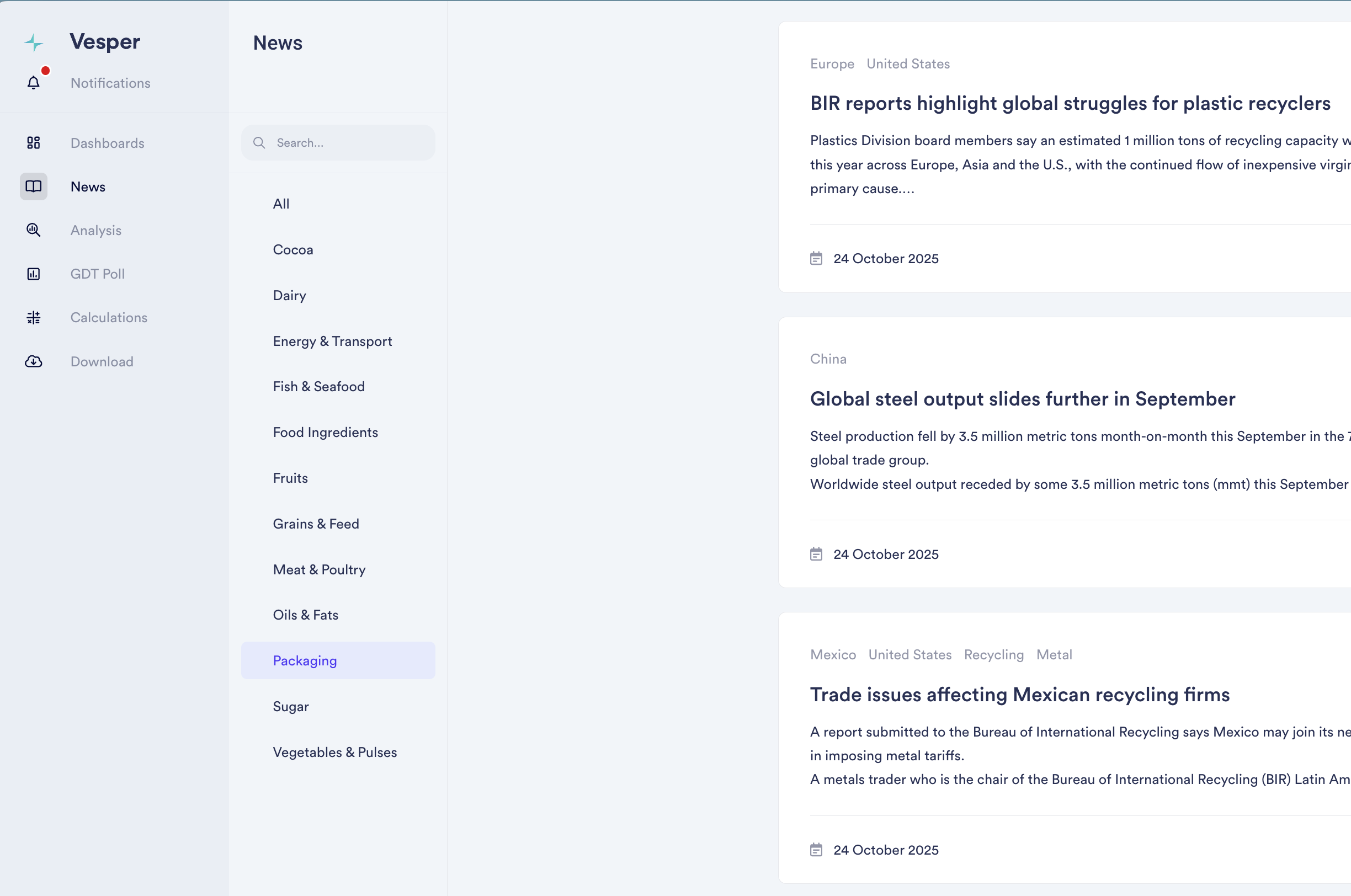
Added dedicated news coverage for packaging markets, tracking regulatory developments, sustainability initiatives, and material demand shifts across agricultural supply chains. Our 12th commodity-specific news feed, powered by AI models that filter global outlets to deliver only relevant packaging intelligence.

Why It Matters: Packaging costs can represent 10-30% of total product costs, yet most procurement teams track these markets separately from ingredient intelligence. Policy changes, material innovations, and input cost movements in packaging directly impact your bottom line and product competitiveness.

What's New:

  • AI-filtered news from global outlets, eliminating noise

  • Global and regional packaging market trends

  • Regulatory developments and sustainability initiatives

  • Material demand shifts and supply constraints

  • View packaging feed individually or combined with all 12 commodity feeds

  • Custom keyword notifications

  • Direct keyword and region search within the feed

How to Use It:

  1. Access Packaging News in your lefthand bar navigation

  2. Set up keyword notifications for topics you're tracking

  3. Search by keyword or region to find specific developments

Read the latest packaging news

Did you like this update?

LikeNeutralDislike

1200 New Forecasted Prices Live

by Vesper team, Product Marketing
New
Forecasting & Outlook
Data
API, Download Data, Excel
AI

Vesper has Expanded Forecast Coverage, adding 1200+ new price forecasts across key commodity categories. This massive expansion adds price outlooks to previously unforecasted products, enabling procurement teams to anticipate price movements across their entire commodity basket—from coffee beans to meat cuts.

What's New:

  • 1200+ New Forecasts: Price predictions now available for products that previously showed only historical data

  • Multi-Category Coverage: Major expansion across Eggs, Grains, Meats, and Coffee categories

  • Enhanced Cost Model Predictions: More ingredients in your cost models now are part of forecasts

  • Deeper Market Visibility: Forward-looking insights for specialty and regional products that lacked predictive analytics

Why It Matters: Procurement decisions require forward visibility across all ingredients, not just major commodities. This expansion eliminates forecast gaps that forced teams to make assumptions about future prices. Now, whether you're buying specialty coffee blends or regional meat cuts, you have data-driven predictions to guide purchasing decisions and budget planning.

What's included?

  • Eggs: Shell eggs, liquid, and processed egg products

  • Grains: Wheat, corn, barley, and specialty grain varieties

  • Meats: Beef, pork, and poultry cuts across multiple regions

  • Coffee: Arabica, Robusta, and regional blend benchmarks

  • 12-month forecast horizons (where data availability permits)

  • Automatic integration with existing cost models

Did you like this update?

LikeNeutralDislike

Direct Widget Data Download

by Vesper Team, Product Marketing
New
API, Download Data, Excel
Data

Vesper has launched Direct Widget Data Export, streamlining how users extract data from the platform. This feature eliminates the multi-step process of navigating to separate download centers, allowing instant data exports directly from any widget you're viewing—saving valuable time for teams that need to quickly move data into reports, models, or presentations.

What's New:

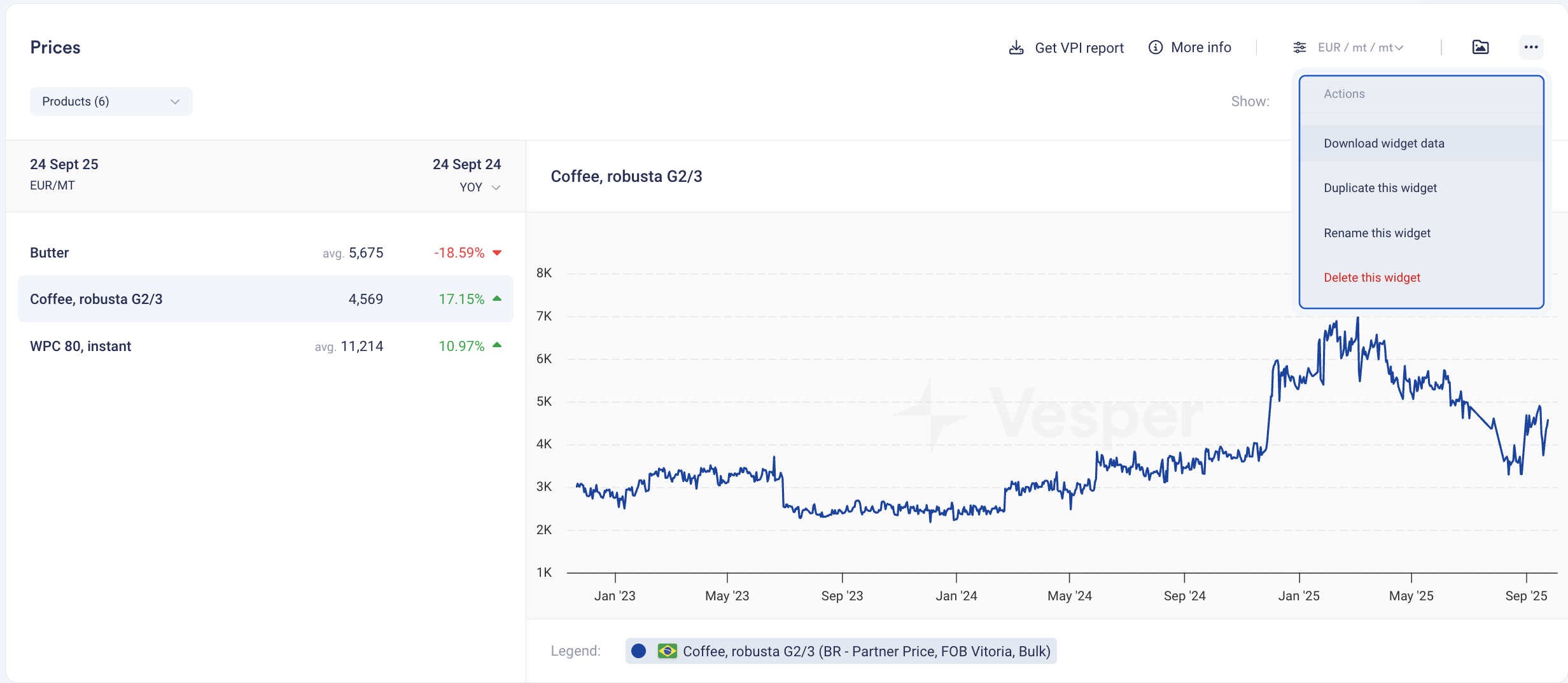
  • One-Click Export: Download data directly from the three-dots menu in any compatible widget

  • Instant Access: No need to navigate to Data Download or remember complex product names

  • Multi-Widget Support: Works across Prices, Price Forecasts, Production, Import/Export, and Stock widgets

  • Format Preservation: Data exports match the exact view and timeframe displayed in your widget

  • Simplified Workflow: From insight to Excel in seconds

How to Use It:

  1. Navigate to any widget showing the data you need

  2. Click the three dots in the top-right corner of the widget

  3. Select "Download" from the dropdown menu

  4. Access your file immediately in your email inbox

  5. Paste into your model or report—formatted and ready to use

How to access? This feature is live for all users with Download data across the platform. No setup required. To get access please reach out to your customer success manager or [email protected]

Did you like this update?

LikeNeutralDislike