Vesper  Updates

Weekly Forecasts

by Vesper Team, Product Marketing
New
Forecasting & Outlook
Improvement
AI
Data

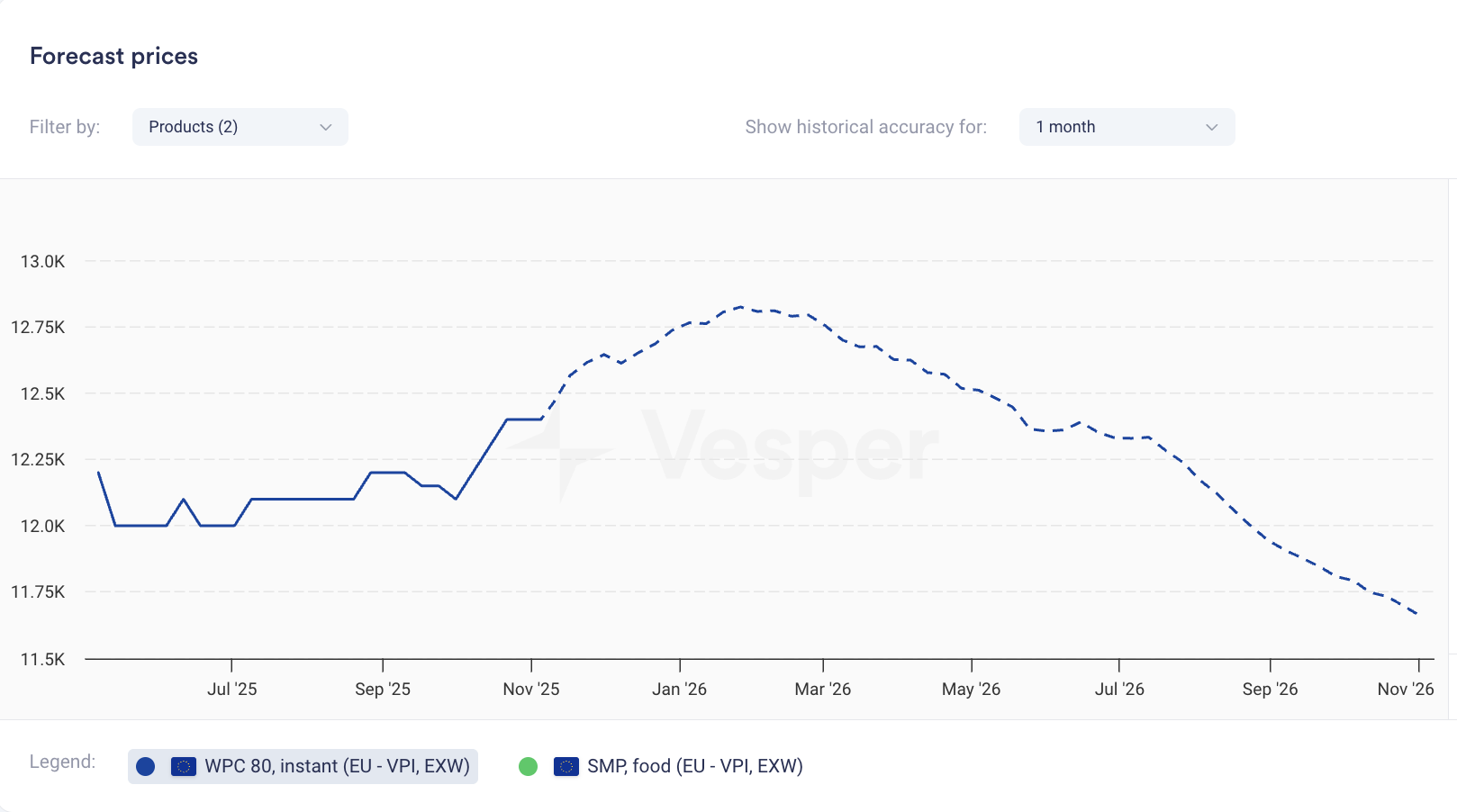
Price forecasts now display weekly data points instead of monthly. The same 12-month coverage now gives you 52 weekly forecasts; 6-month coverage gives you 26 weekly forecasts.

What it does: Shows forecast at weekly intervals rather than monthly What you can do: Track expected price movements week-to-week and time purchases more precisely Why it matters: Spot trends between monthly intervals and answer the tactical question: commit this week or wait? Especially valuable when markets are volatile.


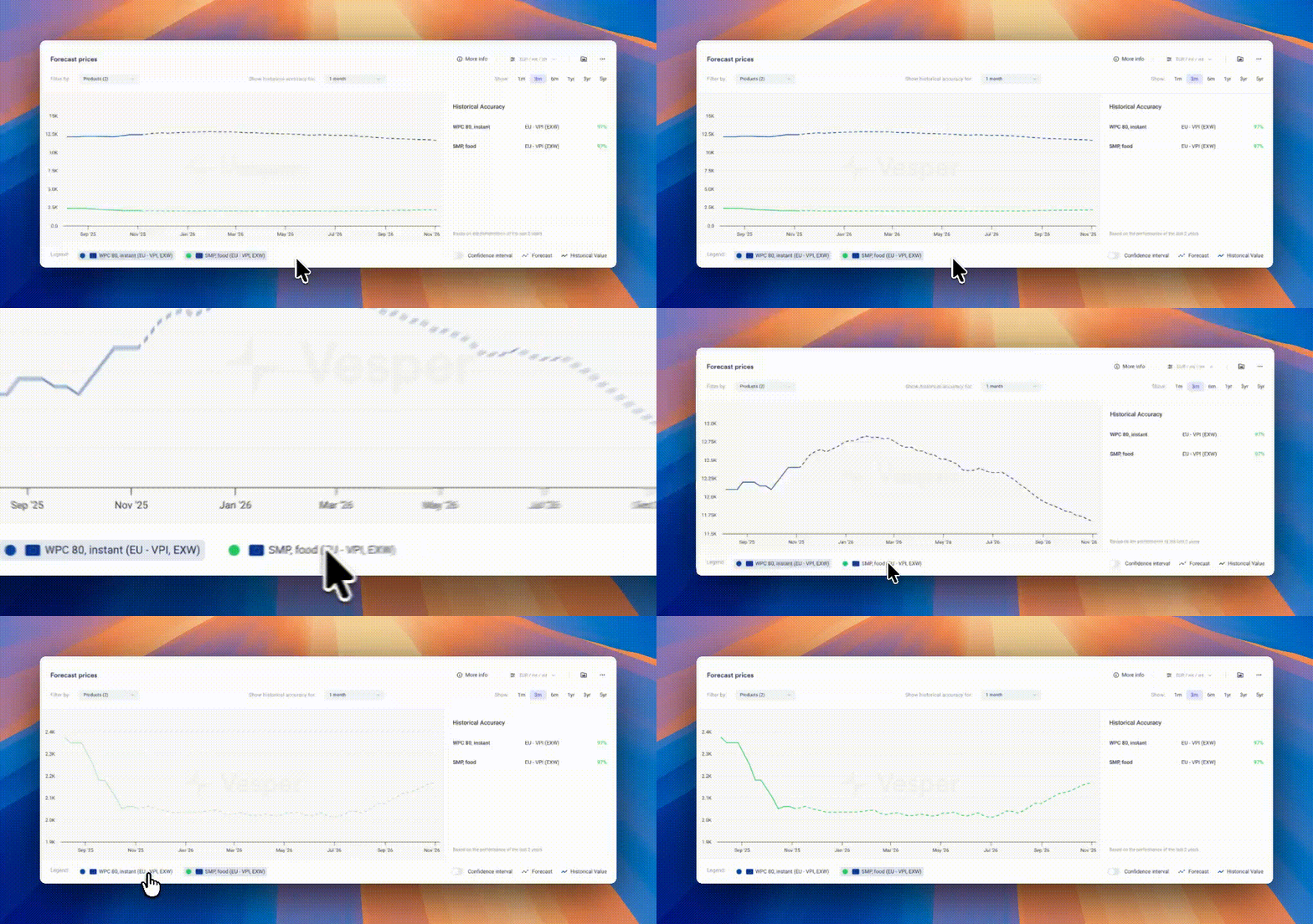
Pro Tip: If forecasts look flat due to scaling (multiple products or long price histories compress the view), zoom in on the graph, temporarily hide other products using the legend, or hover for exact forecasted values.

Did you like this update?

LikeNeutralDislike

Shipping and Freight Transport Prices

by Vesper Team, Product Marketing
New
Energy & Transport
Data
Partnerships

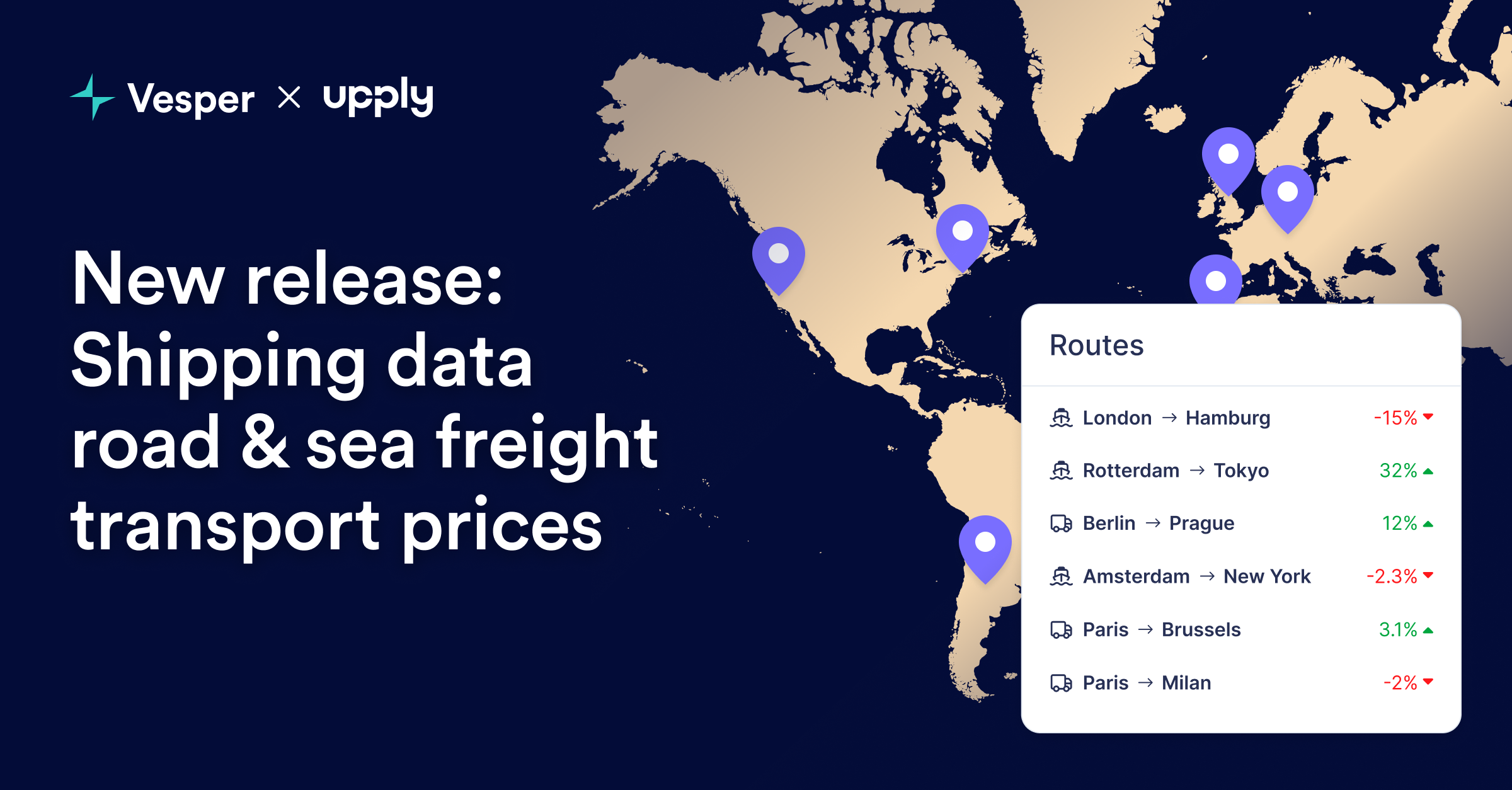
Vesper has launched Commodity Shipping Intelligence through an exclusive partnership with Upply, bringing freight rate benchmarks directly into the platform. This integration enables procurement teams to track delivered costs by combining commodity prices with real shipping rates for their specific inbound lanes—creating true landed cost visibility.

What's New:

  • Inbound Freight Benchmarks: Real shipping rates for strategic procurement routes, not generic freight indices

  • Upply Partnership Integration: Access to validated freight data from one of Europe's leading logistics intelligence providers

  • Route-Specific Pricing: Targeted lanes for commodity imports (origin ports to destination factories)

  • Multi-Modal Coverage: Ocean freight, road transport, and intermodal combinations where relevant

  • Integrated Cost Analysis: Combine commodity prices with freight to calculate true delivered costs

Why It Matters: Commodity prices at origin tell only half the story. With shipping costs representing 10-30% of delivered prices and extreme volatility in freight markets, procurement teams need visibility into both components. This integration transforms Vesper from a commodity price platform into a complete landed cost intelligence system—critical for accurate budgeting and supplier selection.

How to Use It:

  1. Search freight routes using origin-destination pairs in the platform search

  2. Add to dashboards alongside relevant commodity prices for complete cost tracking

How to access? Freight rates are available to all Vesper users who have access to the Energy and Transport category. For more information, contact [email protected].

Did you like this update?

LikeNeutralDislike

New: Deselect All Button

by Vesper Team, Product Marketing
Improvement
New
Vesper Toolbox

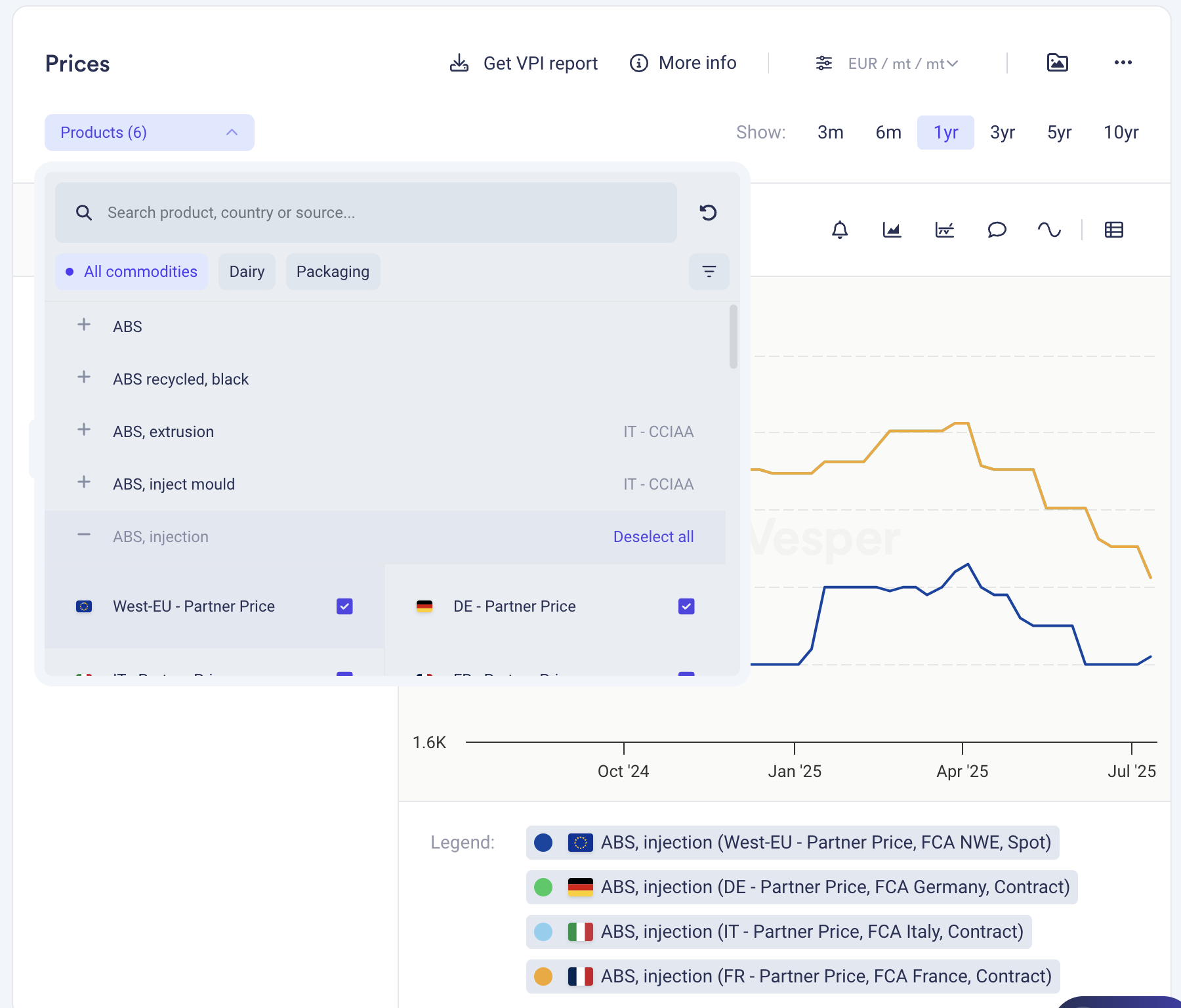
Clear your widget selections instantly with the new "Deselect all" button in dropdown menus. Start fresh analysis without manually removing each selection or dealing with cluttered views.

What it does: One click clears all active selections in a widget What you can do: Reset widgets to empty state for clean analysis Why it matters: Faster workflow, cleaner screens, less clicking

Find it in the dropdown menus across most widgets.

Did you like this update?

LikeNeutralDislike

New Weekly Market Analysis: Coffee Report

by Vesper Team
New
Beverages
Market Analysis

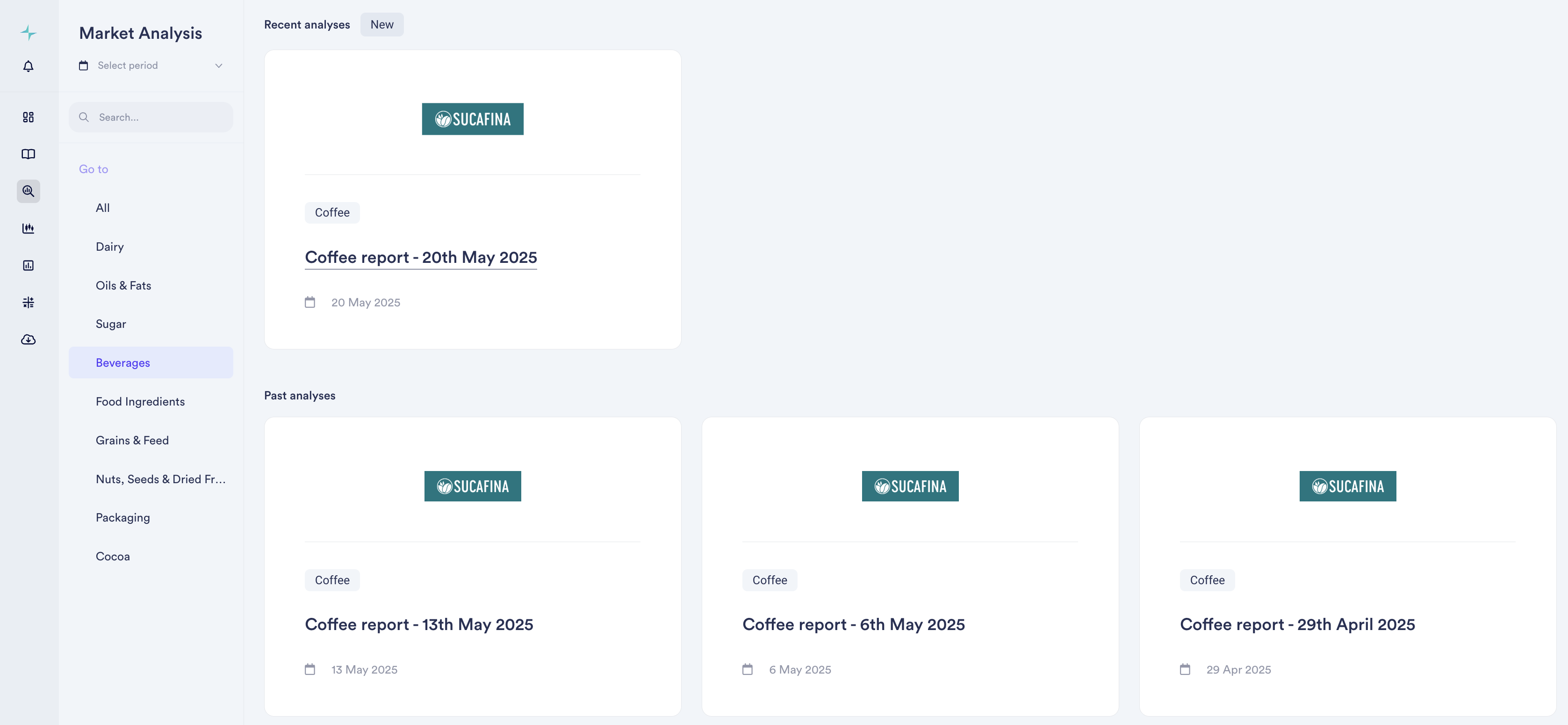
Summary: Vesper is excited to announce the launch of a new weekly market analysis report focused exclusively on coffee. This report, authored by industry leader Sucafina, will provide in-depth insights and timely updates on the global coffee market.

What's New:

  • Dedicated Coffee Market Analysis: A specialized weekly report offering expert analysis of the coffee market.

  • Expert Author: Authored by Sucafina, the leading sustainable Farm to Roaster coffee company with a rich history in commodities since 1905.

  • Frequency: Delivered weekly to keep you informed of the latest market movements.

  • Release Schedule: Available every Tuesday afternoon.

Why It Matters:

Coffee is a critical commodity for many of our users, and this new dedicated report will provide invaluable, focused intelligence. By partnering with Sucafina, we're bringing you expert perspectives and analysis to help you:

  • Understand current market dynamics and trends.

  • Anticipate potential shifts in supply, demand, and pricing.

  • Make more informed purchasing and trading decisions.

  • Gain a deeper understanding of the factors influencing the coffee industry, from farm to roaster.

How to Use It:

  • Access the new Coffee Market Analysis report in the Market Analysis section of the Vesper platform.

  • Look for the report updates every Tuesday afternoon.

  • Consider setting up alerts to be notified when the new report is published.

Read the latest report

Did you like this update?

LikeNeutralDislike

Supply and Demand Map Improvements

by Vesper Team
Improvement
Data

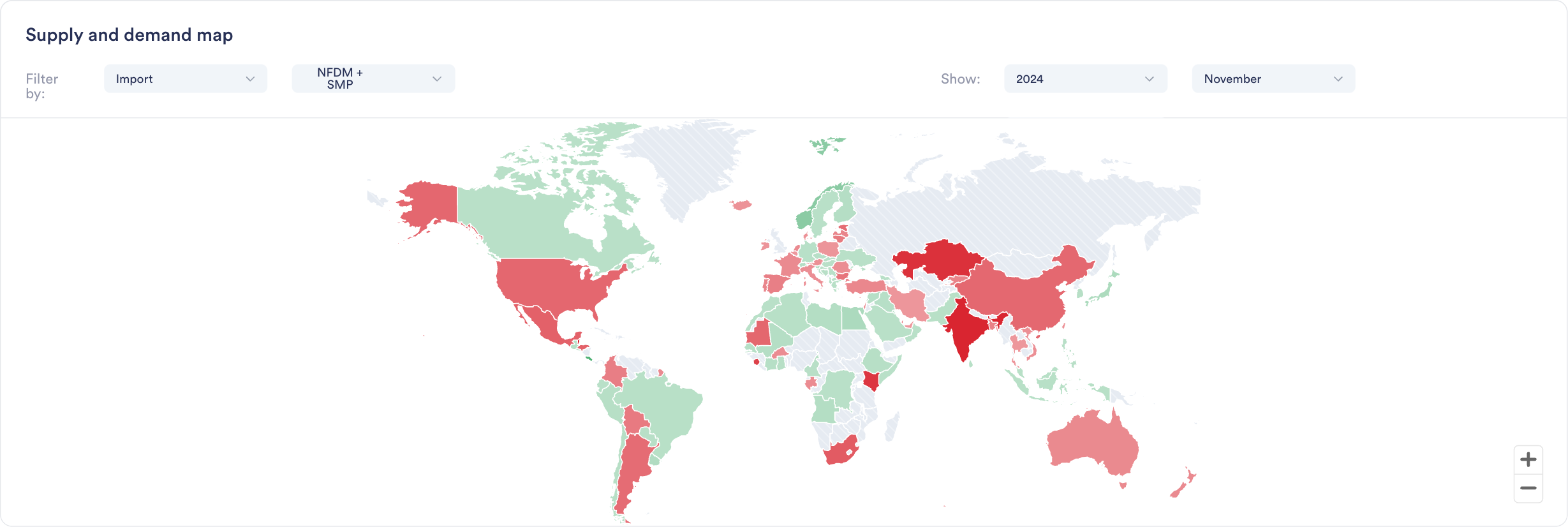
Enhanced S&D Map visualization now provides Year-to-Date (YTD) comparisons across regions, enabling instant visual insights into global production, import/export, and stock trends and regional shifts.

Why it Matters:"If I were interested to see where growth in EU milk production is happening, this would really quickly show me that it is not happening in Ireland, Netherlands or France. It's great for presentations, as not having to click through all countries at the same time makes it ideal for regions or groups of countries."

Jasper Endlich, Dairy Market Analyst

How to Use It:

  1. Find the World Map Widget in the S&D category

  2. Select your metric and timeframe of interest

  3. Compare countries and spot regional trends through color coding

  4. Export directly into presentations or add to your custom dashboards

Did you like this update?

LikeNeutralDislike

Introducing Two New Ways to Find What You Need

by Vesper Team
New
Improvement
AI


We've launched two powerful features to help you navigate the platform more efficiently: Dashboard Search and Vesbot. Each serves a distinct purpose to help you find exactly what you need, when you need it.

What's New

Dashboard Search: Find and Act

Two simple ways to discover available data:

  1. Direct product search

    • Search for specific products (e.g., "WPI", "Sugar", "Cocoa")

    • See all available data types for that product

    • Add relevant data directly to your dashboards

  2. Category navigation

    • Browse through product categories

    • Select product within the category

    • Explore available data types

Both paths help you discover and organize the data you need in your dashboards.

Vesbot: Ask and Learn

  • Get instant answers about platform features

  • Learn how to use specific platform capabilities

  • Access platform support 24/7

  • Available through the help icon in the bottom right corner

Why It Matters

Finding the right data and understanding how to use it are crucial for making timely decisions. Dashboard Search helps you quickly locate and organize market data, while Vesbot ensures you can instantly learn how to use platform features effectively.

When To Use Which?

How to Use It

Dashboard Search

  1. Click the search bar above your workspaces

  2. Enter what you're looking for (e.g., "WPI prices")

  3. Add Country/region

  4. Add relevant data directly to your dashboards or create a new one

Vesbot

  1. Click the help icon in the bottom right corner

  2. Type your question (e.g., "How do I compare prices between regions?")

  3. Get immediate answers and guidance

  4. Follow up with additional questions if needed

  5. Left with questions? Our Support team is still available to help, just ask Vesbot to connect you.

Did you like this update?

LikeNeutralDislike

New Weekly Coffee Market Report

by Vesper Team
New
Beverages
Market Analysis

Summary: New weekly coffee market analysis covering Vietnam, Indonesia, Brazil, and China, providing insights into production trends and market dynamics.

What's New:

  • Weekly coffee market reports

  • Coverage of key producing regions

  • Production trend analysis

  • Market dynamics insights

  • Price movement tracking

Why It Matters: Understanding coffee production and market trends is essential for analyzing global supply dynamics and their impact on market prices. This report gives you a head start on coffee market intelligence ahead of planned expansions in 2025

How to Use It:

  1. Navigate to Market Analysis section

  2. Select Beverages category

  3. Find the latest coffee report under Weekly Updates

Use Case Example: Coffee roasters and beverage companies can use these insights to track production trends across major growing regions and anticipate potential market shifts.

Read the latest report

Did you like this update?

LikeNeutralDislike

Introducing Vesbot: Your AI Chat Assistant 🤖

by Vesper Team
New
Improvement
AI


Meet Vesbot, your new AI-powered platform Support! We're optimizing how you find resources, information and get support to best get Value from using Vesper.

What Vesbot Can Do

Get instant answers about:

  • Where to find certain data

  • Report availability

  • Source information

  • Product specifications

  • Delivery details

  • Platform features and functionality

Smart Support Routing

Need human assistance? Simply ask Vesbot to connect you with our Support team – it's that easy!

How to Access

Find Vesbot in the platform's chat functionality by clicking the Help button in the bottom right of the screen.

Don’t worry, we still pick up the phone!

You can reach us through the phone or whatsapp on: +31 6 43 21 20 19

Send an email to [email protected]

Add Average Line to Price Charts with One Click

by Vesper Team
New
Improvement
Vesper Toolbox

Summary: Added one-click average line functionality to price widgets, automatically adjusting to your selected time frame.

What's New:

  • Average line button in price widgets

  • Automatic calculation based on selected timeframe

  • Updates when time frame changes

Why It Matters: Quickly visualize price trends against historical averages to better understand market movements and support your decisions.

How to Use It:

  1. Open any price widget

  2. Click the Average line button at the top

  3. Adjust time frame as needed in top right

Did you like this update?

LikeNeutralDislike