Vesper  Updates

Commodity Copilot available from every dashboard

by Vesper Team
Improvement
AI

Commodity Copilot is now accessible from any dashboard through a side panel. Ask questions as you work with your data.

What's new:

  • Copilot side panel is available on every dashboard. Open it without leaving your current view.

  • See your prices, charts, and reports on the left. Ask Copilot about them on the right.

  • Spot something in the data you want to understand? Just ask.

Why this matters:

Before this update, using Copilot meant navigating to a separate page. Now you can look at a price move in your chart and ask what's driving it without losing your place. Data and interpretation, side by side.

How to access?

Open the Copilot side panel using the icon in the top-right of any dashboard, or contact your Customer Success Manager at [email protected].
Consolidated Import/Export, Supply & Demand, and Futures Widgets

by Vesper Team
Improvement

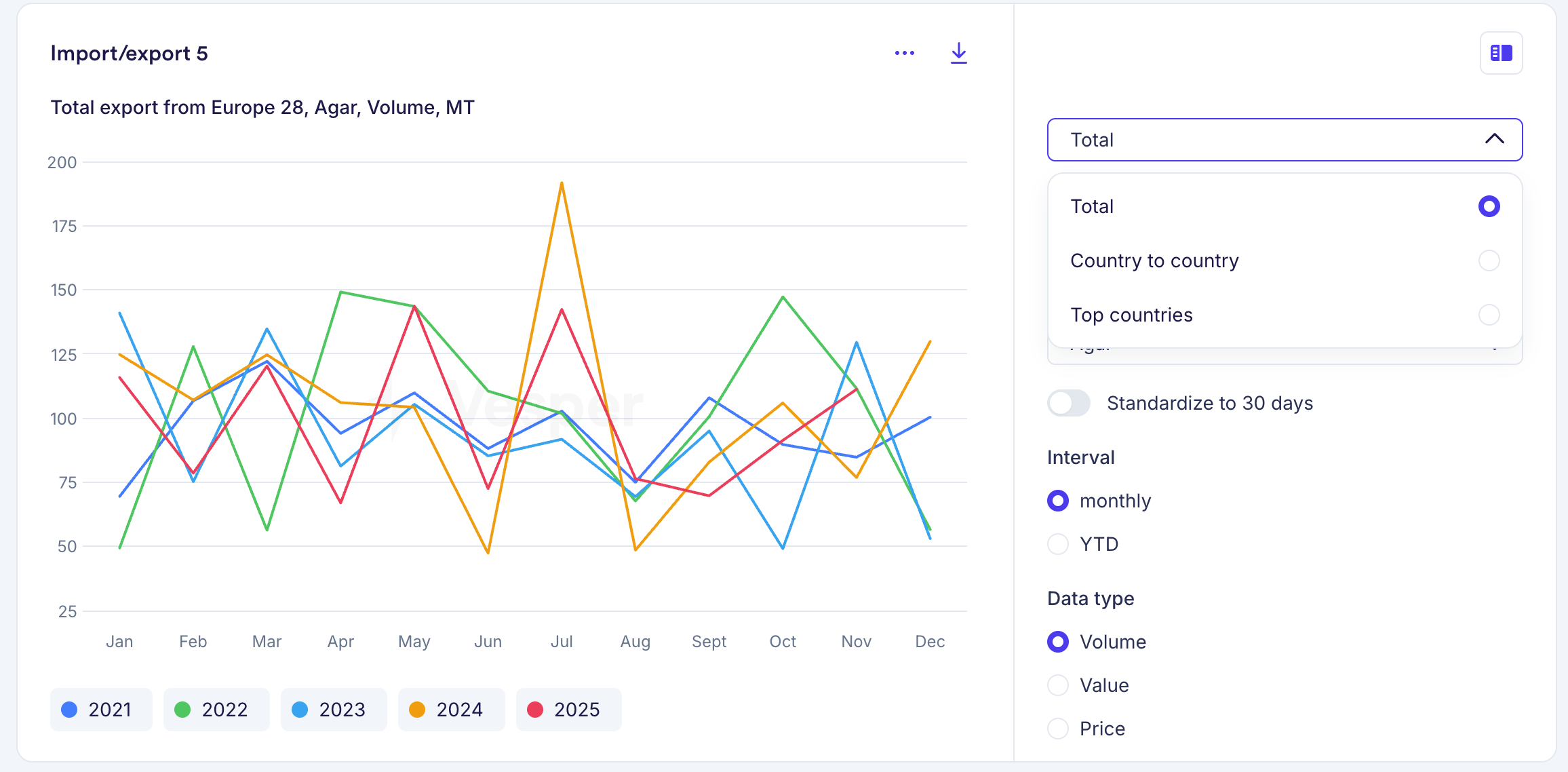
Import/Export, Supply & Demand, and Futures widgets each had multiple versions for different views of the same data. These are now consolidated into a single widget per data type. For example, where you previously had three separate Futures widgets, you now have one that covers all views.

What's new

  • Toggle between table and graph views within each widget

  • Switch between historical and forward data without leaving the widget

  • All controls are built into the widget, so one widget now does the job of several

Your existing widgets have been automatically replaced with the new versions, using the same parameters you had selected. Nothing changes to your dashboards. If you want different views side by side, you can duplicate a widget and set each one to a different view.

Why this matters

Where you previously needed multiple widgets to see the same data in different formats, one widget now covers it. Dashboards stay cleaner, and you spend less time setting up views.

On mobile, the consolidated widgets will follow at a later stage. For now, the previous versions remain available there.

Did you like this update?

LikeNeutralDislike

121 new EU and UK packaging price series

by Vesper Team
New
Data
Packaging

Vesper now covers 121 monthly packaging price series across EU and UK markets, including 76 products created for this expansion. Coverage spans paper, plastics, glass, and metals.

What's new:

  • 121 monthly packaging price series, now live
  • 76 newly created packaging products
  • Materials covered: paper and cardboard (corrugated, cartonboard, kraft), plastics (PET, HDPE, flexible films), glass (bottles, containers), metals (tinplate, aluminium)
  • Geographic scope: EU and UK markets

Why this matters:

Packaging is one of the largest indirect cost categories for food manufacturers. Price swings in paperboard or PET can move margins just as much as ingredient costs. With independent benchmarks for packaging materials, you can track costs over time and verify supplier proposals against market data.

How to Use It:

  • Prices Widget: search by packaging material, product type, or market
  • Price Comparison: compare packaging prices across materials or regions
  • Cost Models: add packaging cost lines alongside ingredient costs in a single model

How to access?

Add to new or existing dashboards using the search function, or contact your Customer Success Manager at [email protected].

Bring Your Own Data (BYOD)

by Vesper Team, Product Marketing
New
Vesper Toolbox
Data
Cost Models

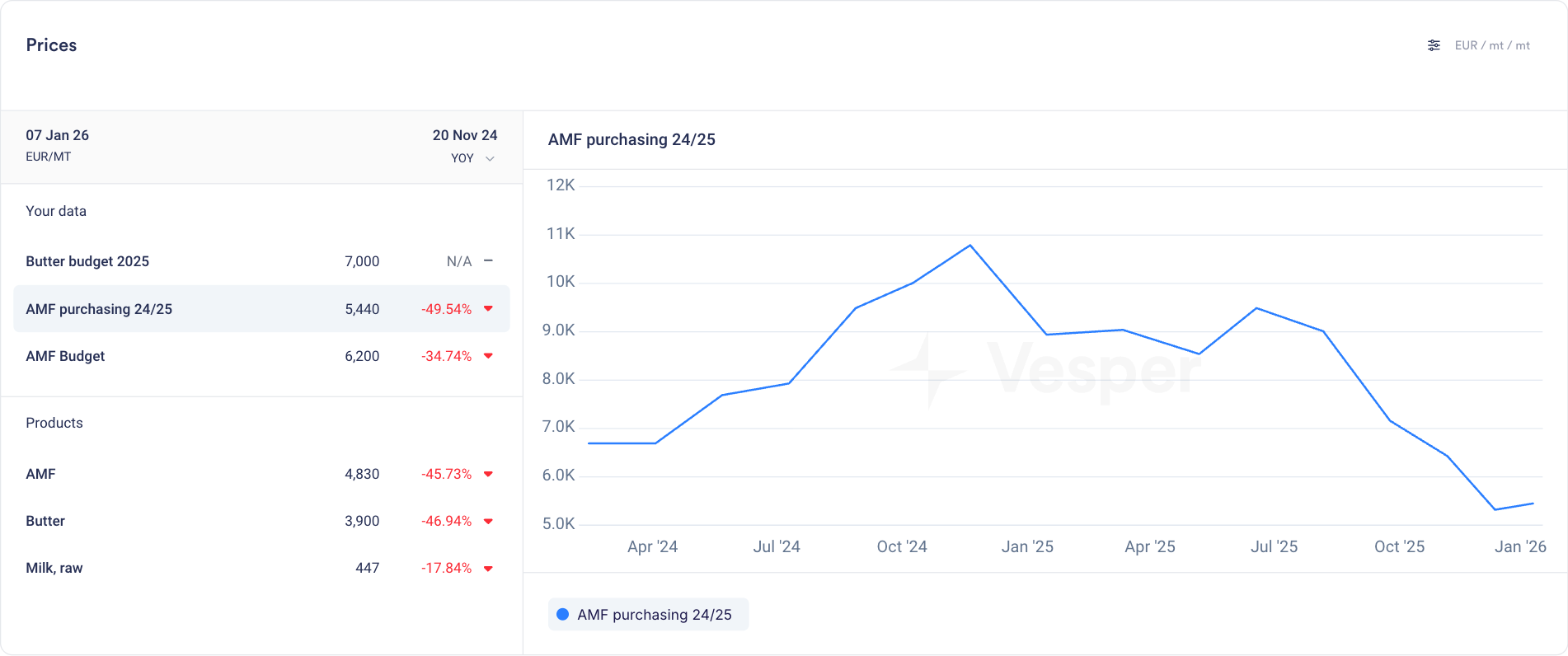
Upload your own budgets, purchase prices, and supplier quotes directly into Vesper. Your internal data now lives alongside global market intelligence, all in one place.

What's new

  • Add your own data via manual entry or CSV upload

  • Store budgets, contract prices, supplier quotes, or any internal pricing data

  • Unlimited series and products with no caps on what you can bring in

  • All your uploads organized in a new dedicated "Your Data" section

  • Access your data in the Prices widget, Price Comparison, and Cost Models

  • Use the full Vesper toolbox on your own data: visualize spreads, calculate averages, and add notes directly in graphs

  • Use your data as inputs for cost models and custom formulas

Why this matters

Vesper already lets you build custom benchmarks using formulas and cost models. Now you can go further. Bring in your actual purchase history, budget targets, and supplier offers to see the full picture.

  • Track performance: Compare what you paid against what the market did

  • Spot opportunities: See where your prices diverge from benchmarks over time

  • Centralize everything: Stop toggling between spreadsheets and Vesper. Make it your single source of truth.

Your data stays yours

Everything you upload is siloed, secure, and never shared with other users or used in any Vesper Price Index. Your competitive information remains private.

Did you like this update?

LikeNeutralDislike

Dashboard Sharing

by Vesper Team, Product Marketing
New
Vesper Toolbox

Share dashboards with your team or your entire company. Build once, keep everyone aligned.

What's new

  • Share any dashboard with individual colleagues or your whole organization

  • Admins control who sees what: choose specific team members or open it up company-wide

  • Shared dashboards appear in a new "Shared" category in your dashboard list

  • Everything carries over: charts, notes, visualizations, and any customizations you've added

  • Builds on existing cost model sharing, now extended to full dashboards

Why this matters

Dashboards already help you bring together the data that matters most. Now you can make that work once and share the view with everyone who needs it.

  • Weekly reviews: Set up a category dashboard and share it with your team. No more rebuilding the same charts every Monday.

  • Negotiation prep: Build a dashboard with price trends, forecasts, and supplier benchmarks. Share it with colleagues so everyone walks into the room with the same context.

  • Leadership updates: Create a cross-category overview for your CPO or finance team. Keep them informed without scheduling another meeting.

Availability

All users get free access to dashboard sharing during Q1 2026.

Did you like this update?

LikeNeutralDislike

Cost models in Price comparison

by Vesper Team, Product Marketing
New
Vesper Toolbox
Cost Models
Data
Vesper Price Index (VPI)

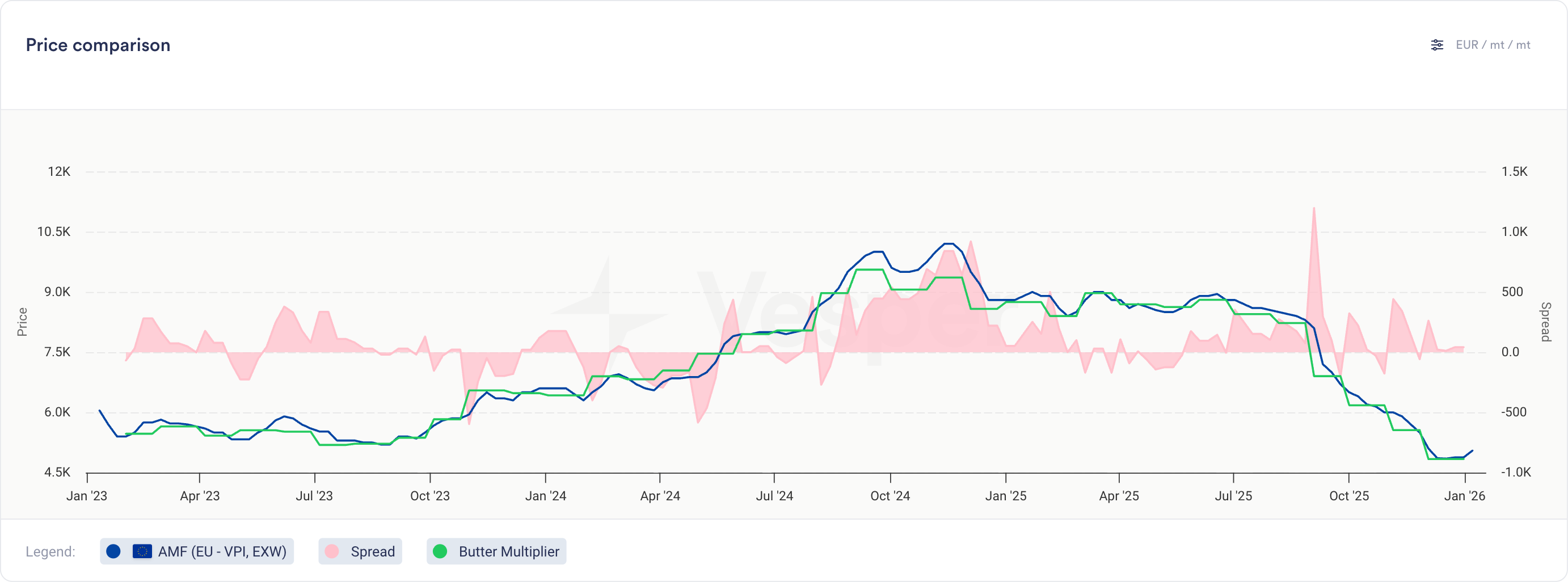
You can now compare your cost models directly against actual prices and other cost models in the Price Comparison widget.

What's new

  • Cost models now appear as selectable series in the Price Comparison widget

  • Select cost models from the product dropdown, labeled with their cost model name

  • View cost model historical data alongside multiple other cost models, price series, or any combination of both

  • Same visualization and interaction as product prices (line charts, tooltips, trends)

  • Note: Notes cannot be added to cost models

Why this matters

For finished goods, this bridges cost modeling and price analysis:

  • Compare different recipe options to find the most cost-effective formulation

  • Validate actual paid prices against theoretical cost models to spot inefficiencies

  • Track variance trends over time to identify negotiation opportunities

For commodity and ingredient buyers, this opens up new ways to analyze contract structures:

  • Build indices for weighted baskets and compare against other indices or your own prices

  • Model multiplier or fixed cost-plus structures on top of any benchmark

Did you like this update?

LikeNeutralDislike

Weekly Forecasts

by Vesper Team, Product Marketing
New
Forecasting & Outlook
Improvement
AI
Data

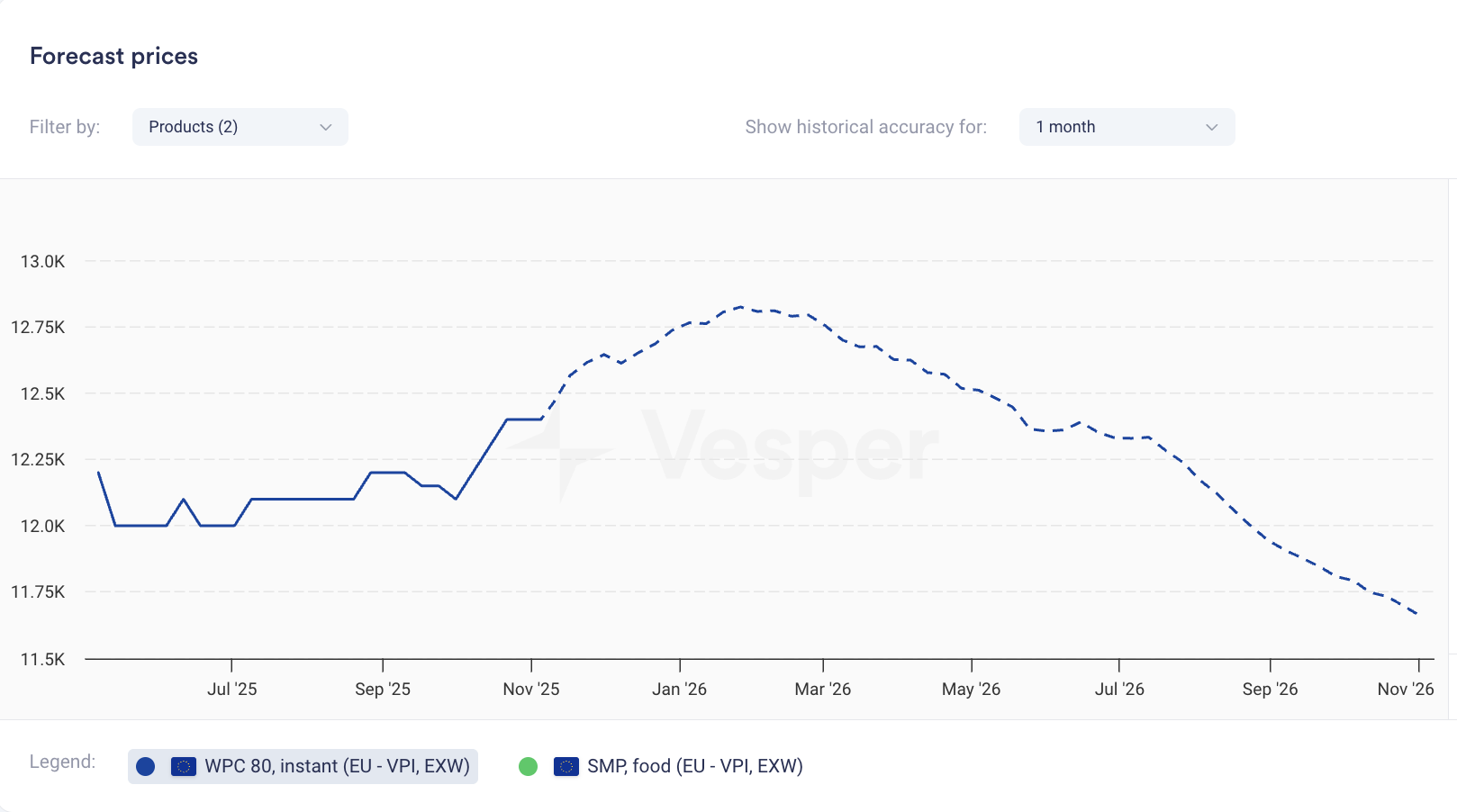
Price forecasts now display weekly data points instead of monthly. The same 12-month coverage now gives you 52 weekly forecasts; 6-month coverage gives you 26 weekly forecasts.

What it does: Shows forecast at weekly intervals rather than monthly What you can do: Track expected price movements week-to-week and time purchases more precisely Why it matters: Spot trends between monthly intervals and answer the tactical question: commit this week or wait? Especially valuable when markets are volatile.


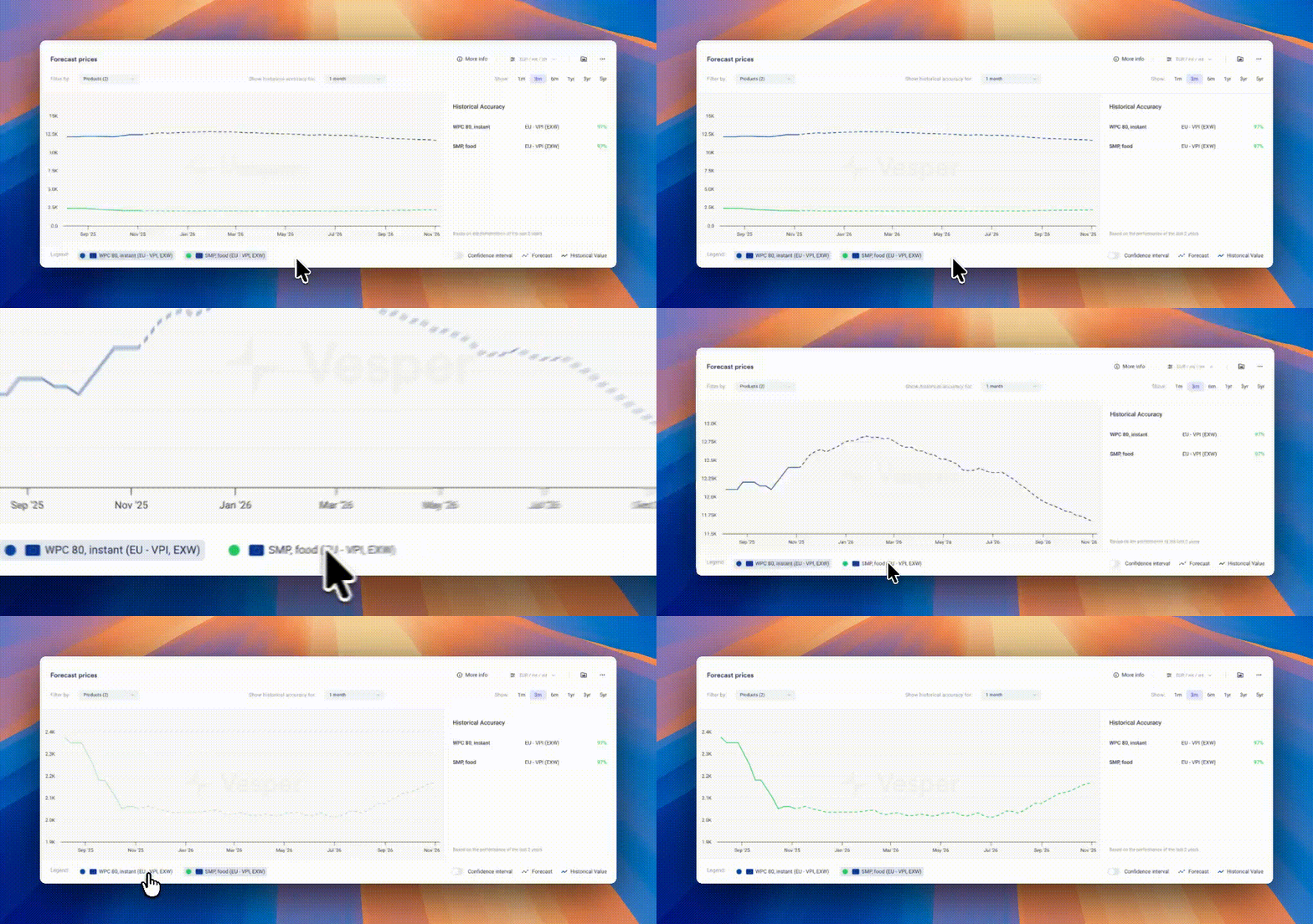
Pro Tip: If forecasts look flat due to scaling (multiple products or long price histories compress the view), zoom in on the graph, temporarily hide other products using the legend, or hover for exact forecasted values.

Did you like this update?

LikeNeutralDislike

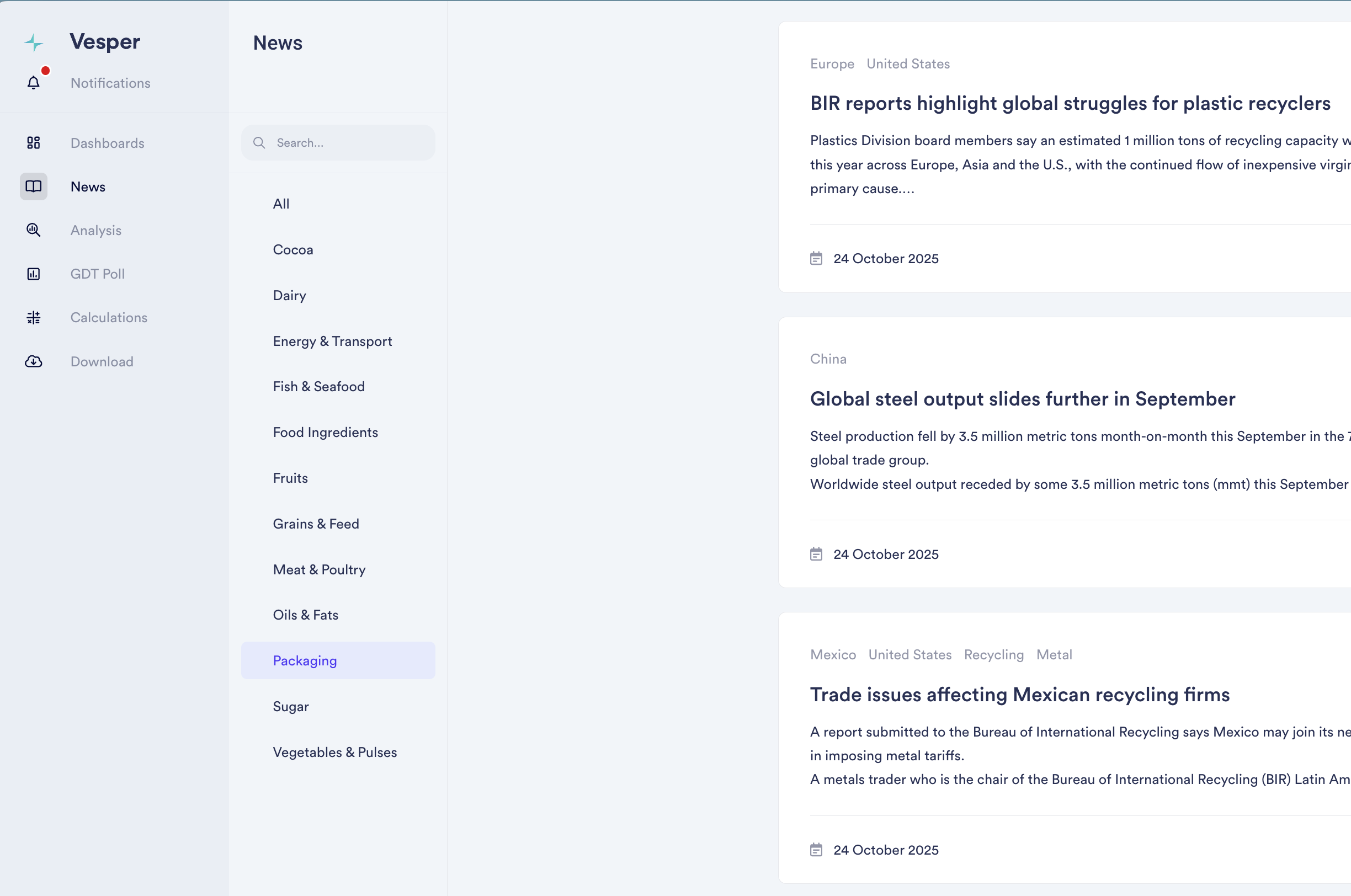
Packaging News Category

by Vesper Team, Product Marketing
New
Mobile
Packaging
News & Alerts
AI

Added dedicated news coverage for packaging markets, tracking regulatory developments, sustainability initiatives, and material demand shifts across agricultural supply chains. Our 12th commodity-specific news feed, powered by AI models that filter global outlets to deliver only relevant packaging intelligence.

Why It Matters: Packaging costs can represent 10-30% of total product costs, yet most procurement teams track these markets separately from ingredient intelligence. Policy changes, material innovations, and input cost movements in packaging directly impact your bottom line and product competitiveness.

What's New:

  • AI-filtered news from global outlets, eliminating noise

  • Global and regional packaging market trends

  • Regulatory developments and sustainability initiatives

  • Material demand shifts and supply constraints

  • View packaging feed individually or combined with all 12 commodity feeds

  • Custom keyword notifications

  • Direct keyword and region search within the feed

How to Use It:

  1. Access Packaging News in your lefthand bar navigation

  2. Set up keyword notifications for topics you're tracking

  3. Search by keyword or region to find specific developments

Read the latest packaging news

Did you like this update?

LikeNeutralDislike

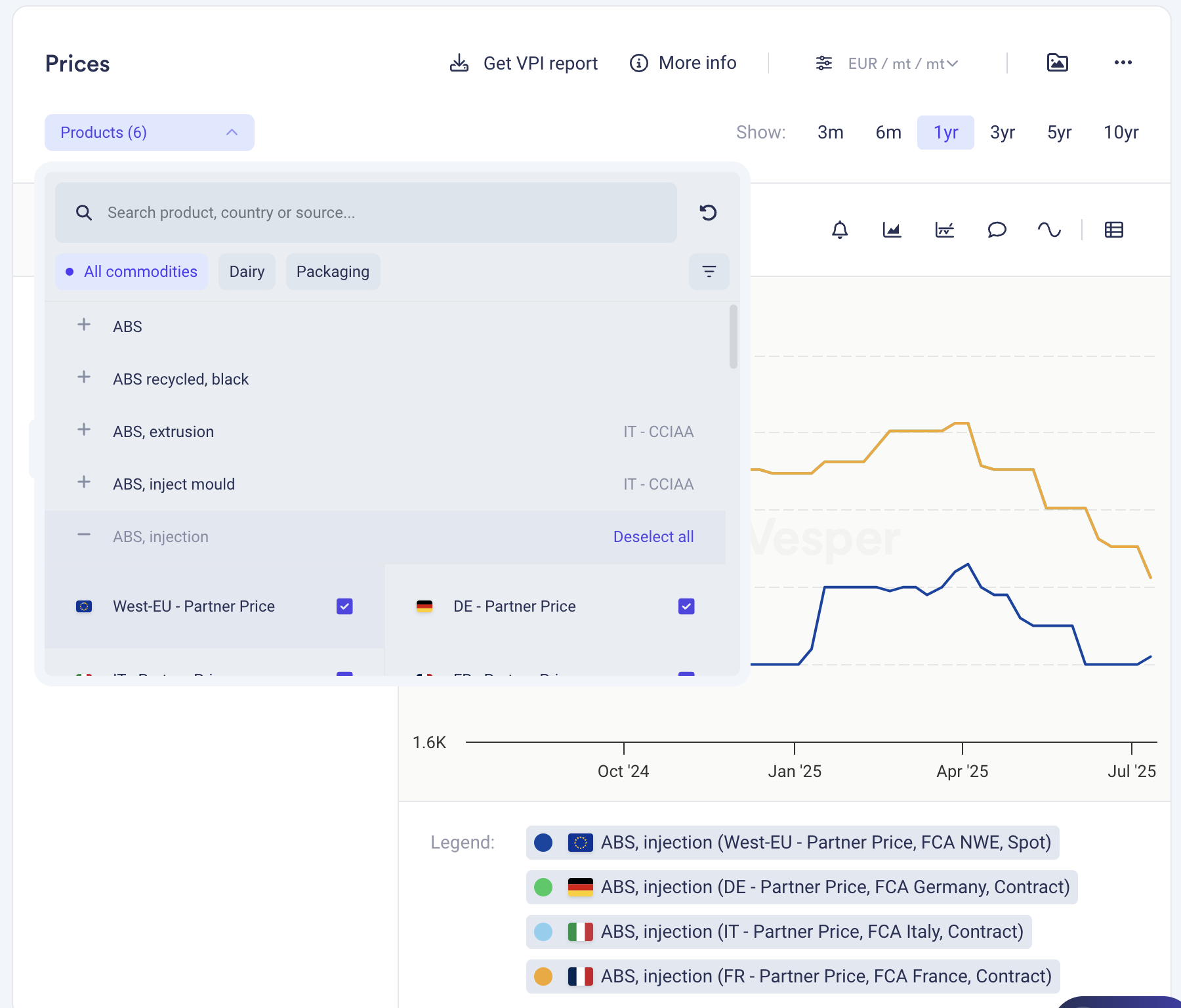
New: Deselect All Button

by Vesper Team, Product Marketing
Improvement
New
Vesper Toolbox

Clear your widget selections instantly with the new "Deselect all" button in dropdown menus. Start fresh analysis without manually removing each selection or dealing with cluttered views.

What it does: One click clears all active selections in a widget What you can do: Reset widgets to empty state for clean analysis Why it matters: Faster workflow, cleaner screens, less clicking

Find it in the dropdown menus across most widgets.

Did you like this update?

LikeNeutralDislike