Vesper  Updates

Weekly Forecasts

by Vesper Team, Product Marketing
New
Forecasting & Outlook
Improvement
AI
Data

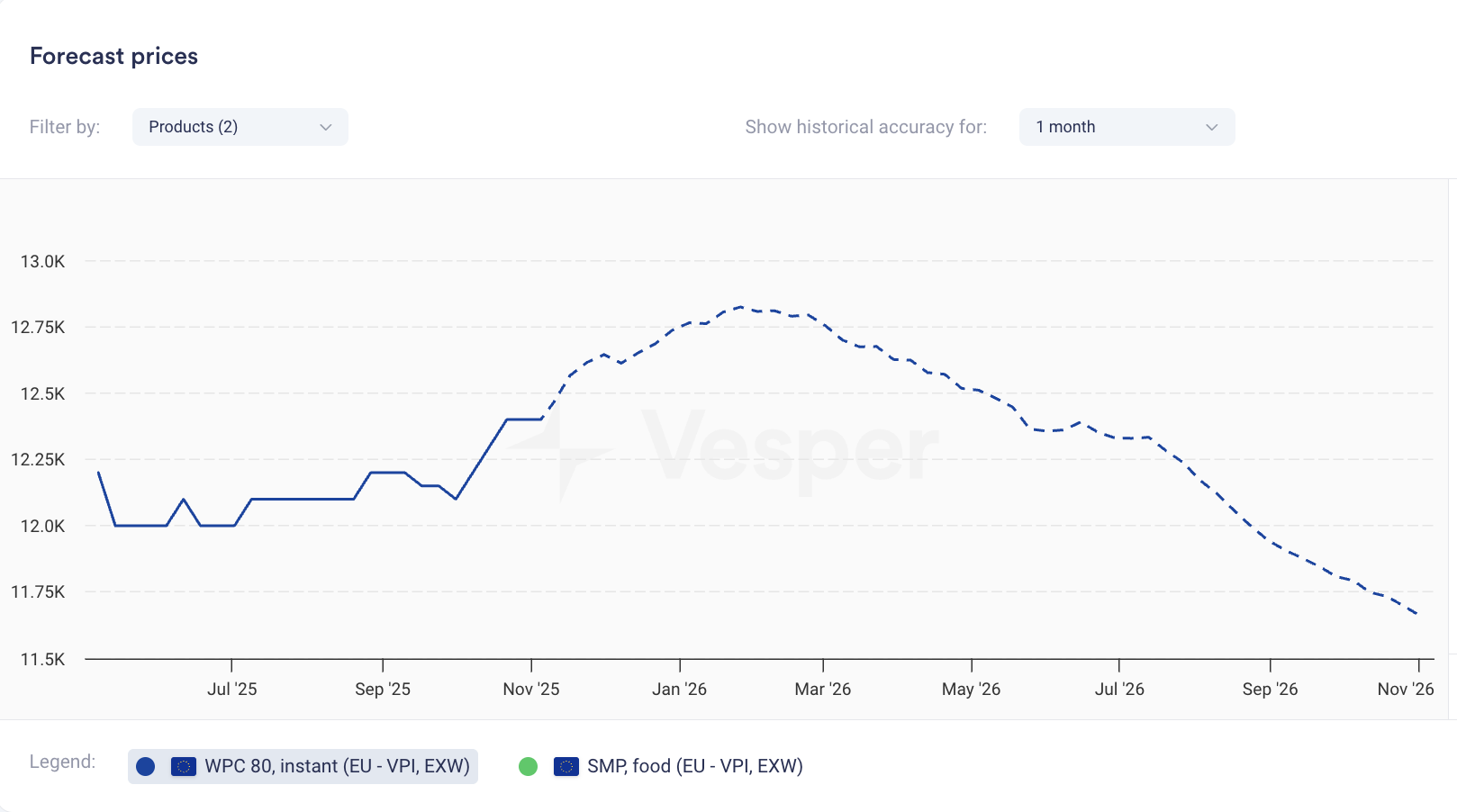
Price forecasts now display weekly data points instead of monthly. The same 12-month coverage now gives you 52 weekly forecasts; 6-month coverage gives you 26 weekly forecasts.

What it does: Shows forecast at weekly intervals rather than monthly What you can do: Track expected price movements week-to-week and time purchases more precisely Why it matters: Spot trends between monthly intervals and answer the tactical question: commit this week or wait? Especially valuable when markets are volatile.


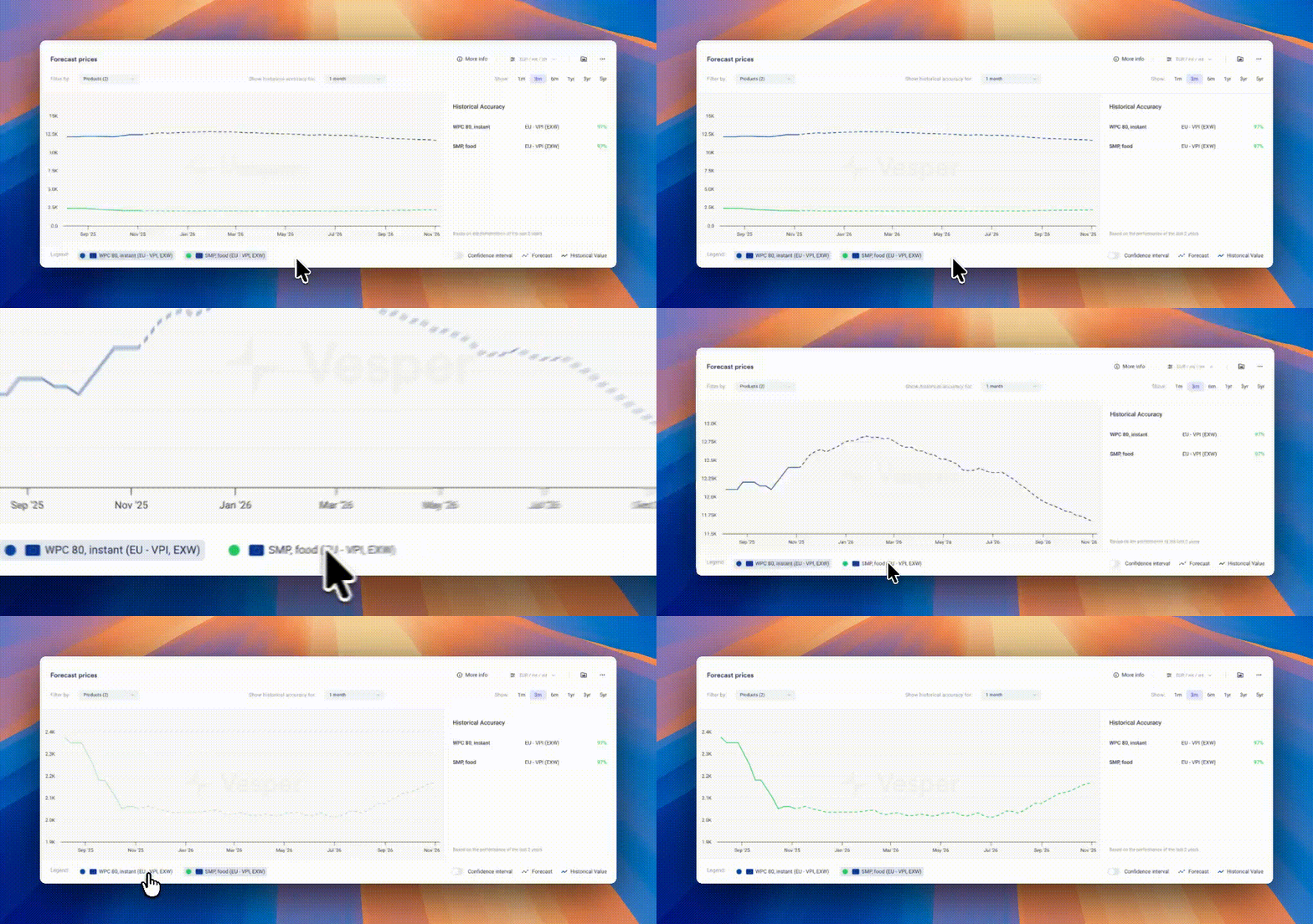
Pro Tip: If forecasts look flat due to scaling (multiple products or long price histories compress the view), zoom in on the graph, temporarily hide other products using the legend, or hover for exact forecasted values.

Did you like this update?

LikeNeutralDislike

Packaging News Category

by Vesper Team, Product Marketing
New
Mobile
Packaging
News & Alerts
AI

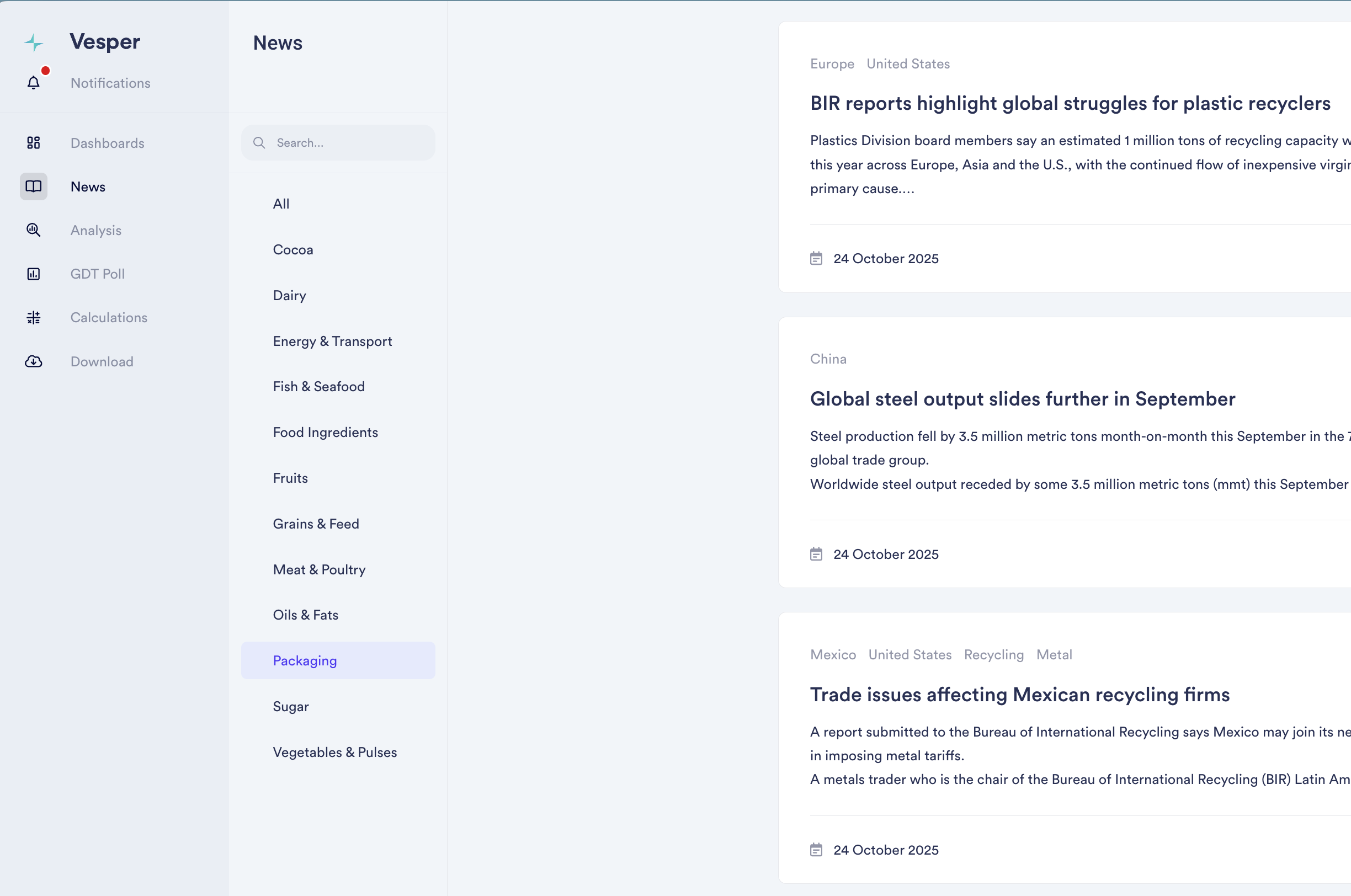
Added dedicated news coverage for packaging markets, tracking regulatory developments, sustainability initiatives, and material demand shifts across agricultural supply chains. Our 12th commodity-specific news feed, powered by AI models that filter global outlets to deliver only relevant packaging intelligence.

Why It Matters: Packaging costs can represent 10-30% of total product costs, yet most procurement teams track these markets separately from ingredient intelligence. Policy changes, material innovations, and input cost movements in packaging directly impact your bottom line and product competitiveness.

What's New:

  • AI-filtered news from global outlets, eliminating noise

  • Global and regional packaging market trends

  • Regulatory developments and sustainability initiatives

  • Material demand shifts and supply constraints

  • View packaging feed individually or combined with all 12 commodity feeds

  • Custom keyword notifications

  • Direct keyword and region search within the feed

How to Use It:

  1. Access Packaging News in your lefthand bar navigation

  2. Set up keyword notifications for topics you're tracking

  3. Search by keyword or region to find specific developments

Read the latest packaging news

Did you like this update?

LikeNeutralDislike

New: Deselect All Button

by Vesper Team, Product Marketing
Improvement
New
Vesper Toolbox

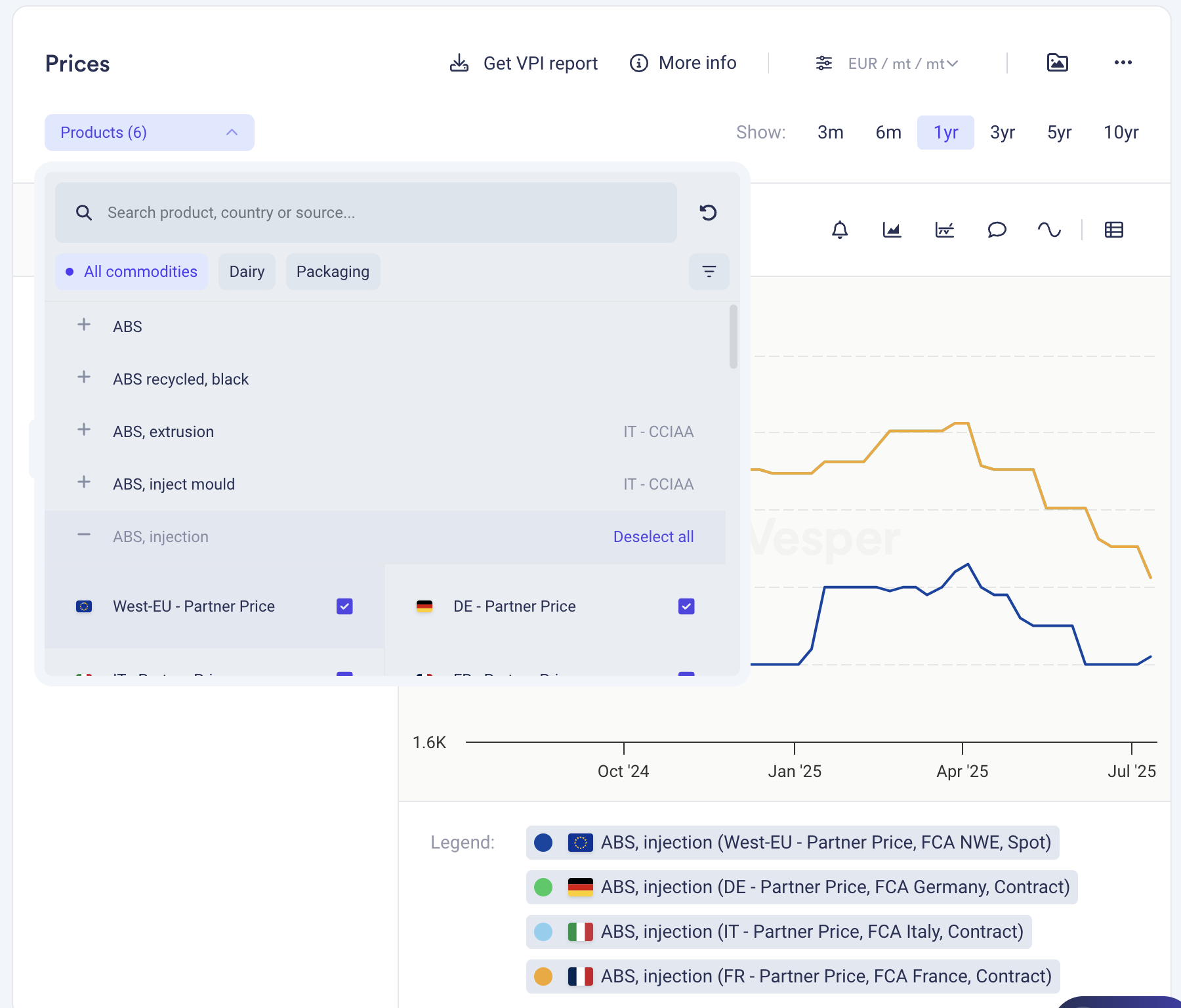
Clear your widget selections instantly with the new "Deselect all" button in dropdown menus. Start fresh analysis without manually removing each selection or dealing with cluttered views.

What it does: One click clears all active selections in a widget What you can do: Reset widgets to empty state for clean analysis Why it matters: Faster workflow, cleaner screens, less clicking

Find it in the dropdown menus across most widgets.

Did you like this update?

LikeNeutralDislike

UK Egg Production Data Now Live

by Vesper Team
New
Data
Bakery
Food Ingredients
Sauces & Condiments

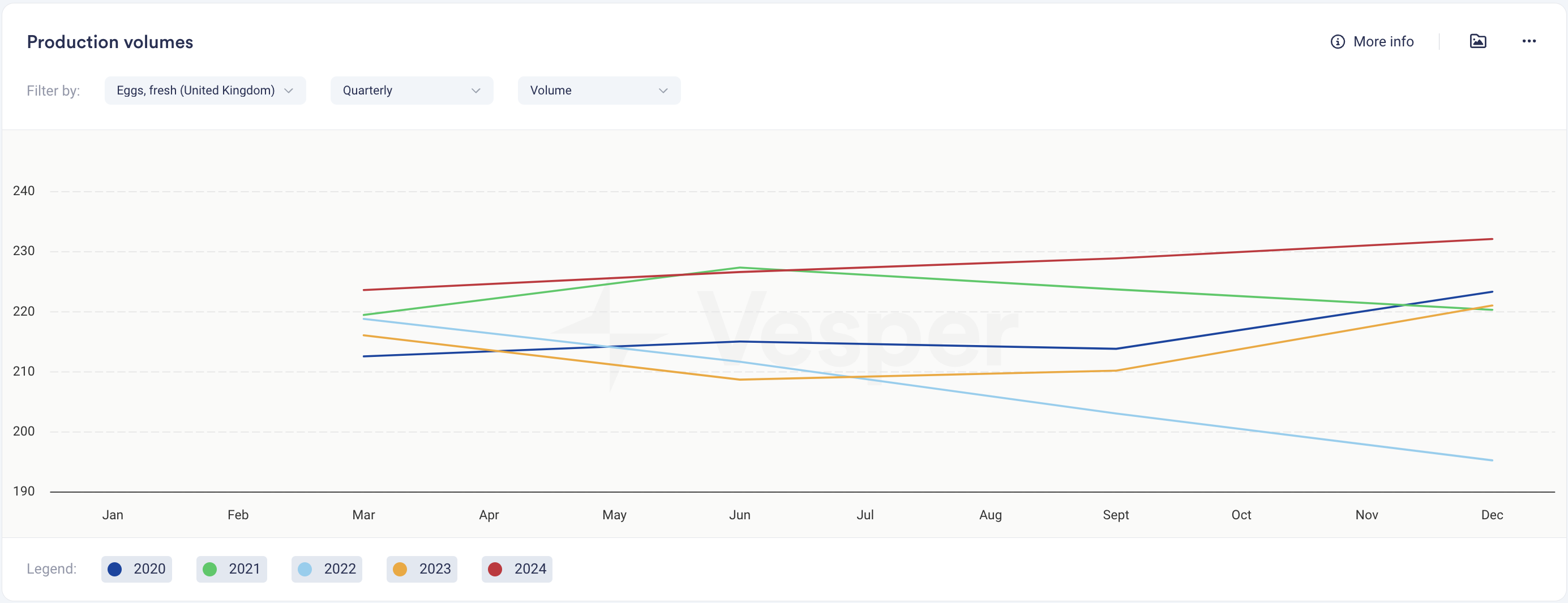
Summary: Vesper has expanded our egg market coverage by integrating official quarterly UK egg production data. This enhancement provides critical supply information to complement our existing egg price benchmarks, delivering deeper market insights for procurement teams in a category known for significant volatility.

What's New:

  • Quarterly UK egg production data from official government sources covering:

    • Eggs, Fresh

    • Egg Enriched Derivatives, Caged

    • Eggs, Free Range

  • Reporting:

    • Production volumes across different egg types

    • Quarter-over-quarter production trends

    • Year-over-year production comparisons

Why It Matters: Egg markets have been extremely volatile, mainly due to supply side constraints caused by HPAI recently. With production levels directly impacting price movements. This new production data helps procurement teams anticipate market shifts by tracking supply dynamics, providing essential context for buying decisions and supplier negotiations in a challenging category.

How to Use It:

  1. Navigate to the production widget in your dashboard

  2. Select the relevant product in the dropdown

  3. View production trends quarterly or evolutions compared to the prior years

Related Features: This update complements our comprehensive egg market coverage:

  • Vesper Price Index (VPI) for 16 egg products across different production systems

  • Expert market analysis for the egg sector

  • Global news feed specific to eggs and poultry

  • Price benchmarks across caged, barn, and free-range production systems

Did you like this update?

LikeNeutralDislike

Supply and Demand Map Improvements

by Vesper Team
Improvement
Data

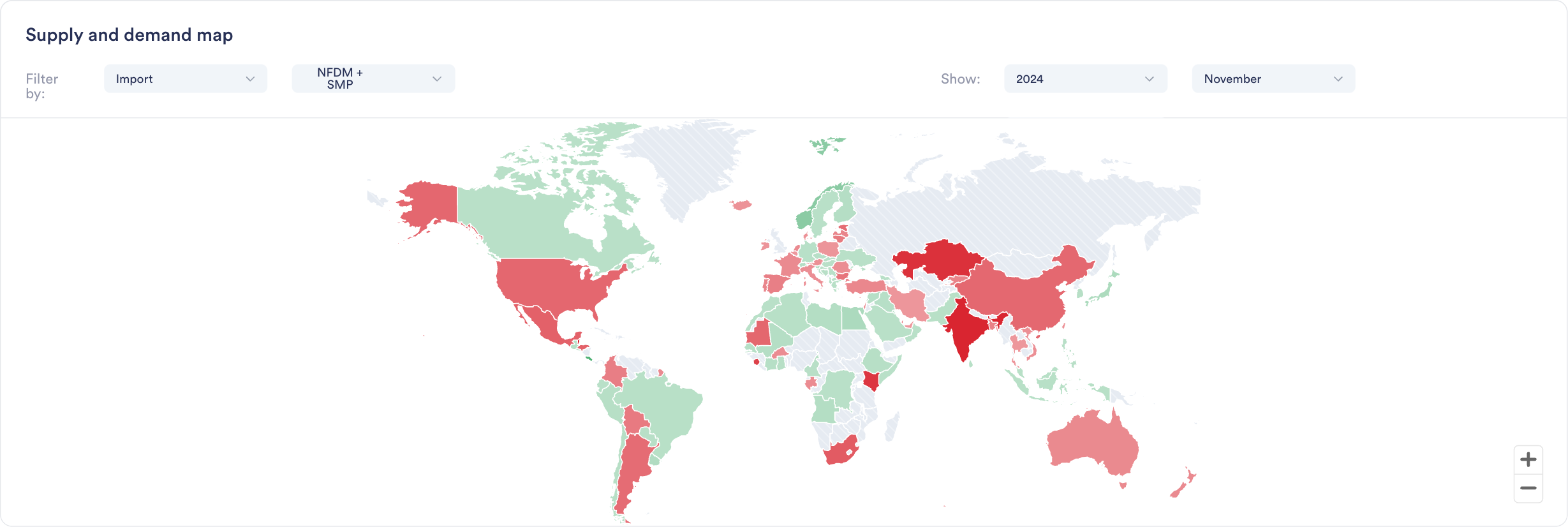
Enhanced S&D Map visualization now provides Year-to-Date (YTD) comparisons across regions, enabling instant visual insights into global production, import/export, and stock trends and regional shifts.

Why it Matters:"If I were interested to see where growth in EU milk production is happening, this would really quickly show me that it is not happening in Ireland, Netherlands or France. It's great for presentations, as not having to click through all countries at the same time makes it ideal for regions or groups of countries."

Jasper Endlich, Dairy Market Analyst

How to Use It:

  1. Find the World Map Widget in the S&D category

  2. Select your metric and timeframe of interest

  3. Compare countries and spot regional trends through color coding

  4. Export directly into presentations or add to your custom dashboards

Did you like this update?

LikeNeutralDislike

Introducing Two New Ways to Find What You Need

by Vesper Team
New
Improvement
AI


We've launched two powerful features to help you navigate the platform more efficiently: Dashboard Search and Vesbot. Each serves a distinct purpose to help you find exactly what you need, when you need it.

What's New

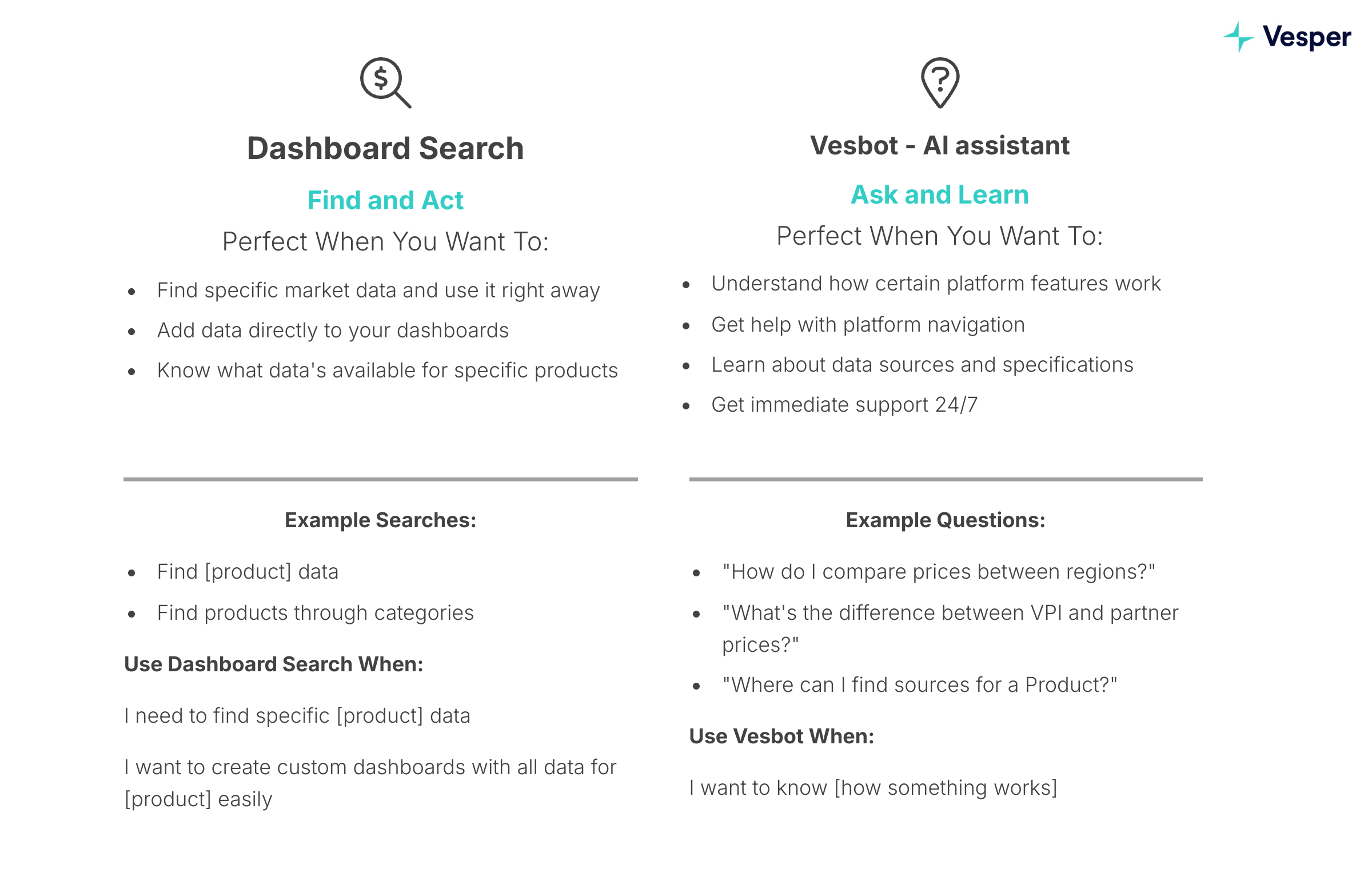
Dashboard Search: Find and Act

Two simple ways to discover available data:

  1. Direct product search

    • Search for specific products (e.g., "WPI", "Sugar", "Cocoa")

    • See all available data types for that product

    • Add relevant data directly to your dashboards

  2. Category navigation

    • Browse through product categories

    • Select product within the category

    • Explore available data types

Both paths help you discover and organize the data you need in your dashboards.

Vesbot: Ask and Learn

  • Get instant answers about platform features

  • Learn how to use specific platform capabilities

  • Access platform support 24/7

  • Available through the help icon in the bottom right corner

Why It Matters

Finding the right data and understanding how to use it are crucial for making timely decisions. Dashboard Search helps you quickly locate and organize market data, while Vesbot ensures you can instantly learn how to use platform features effectively.

When To Use Which?

How to Use It

Dashboard Search

  1. Click the search bar above your workspaces

  2. Enter what you're looking for (e.g., "WPI prices")

  3. Add Country/region

  4. Add relevant data directly to your dashboards or create a new one

Vesbot

  1. Click the help icon in the bottom right corner

  2. Type your question (e.g., "How do I compare prices between regions?")

  3. Get immediate answers and guidance

  4. Follow up with additional questions if needed

  5. Left with questions? Our Support team is still available to help, just ask Vesbot to connect you.

Did you like this update?

LikeNeutralDislike

Introducing Vesbot: Your AI Chat Assistant πŸ€–

by Vesper Team
New
Improvement
AI


Meet Vesbot, your new AI-powered platform Support! We're optimizing how you find resources, information and get support to best get Value from using Vesper.

What Vesbot Can Do

Get instant answers about:

  • Where to find certain data

  • Report availability

  • Source information

  • Product specifications

  • Delivery details

  • Platform features and functionality

Smart Support Routing

Need human assistance? Simply ask Vesbot to connect you with our Support team – it's that easy!

How to Access

Find Vesbot in the platform's chat functionality by clicking the Help button in the bottom right of the screen.

Don’t worry, we still pick up the phone!

You can reach us through the phone or whatsapp on: +31 6 43 21 20 19

Send an email to [email protected]

"What's New": Personalized Market Updates in One Tap πŸ“±

by Vesper Team
New
Mobile
AI

Summary: New mobile feature delivers personalized market updates - including prices, news, and analyses - in a single, easy-to-scan feed.

What's New:

  • Daily personalized round-up showing:

    • Latest price updates for your products

    • Forward price changes

    • 2 most relevant news articles

    • 2 key market analyses

    • All filtered to your selected interests

Why It Matters: Quick access to your most important market information while on the move, helping you stay informed without searching through different sections.

How to Use It:

  1. Open your Vesper mobile app

  2. Tap "What's New" from Dashboard or Notifications

  3. Scroll through your personalized updates

➑️ Ready to upgrade?Download our mobile app to access these features.

Download Mobile App

Did you like this update?

LikeNeutralDislike

Add Average Line to Price Charts with One Click

by Vesper Team
New
Improvement
Vesper Toolbox

Summary: Added one-click average line functionality to price widgets, automatically adjusting to your selected time frame.

What's New:

  • Average line button in price widgets

  • Automatic calculation based on selected timeframe

  • Updates when time frame changes

Why It Matters: Quickly visualize price trends against historical averages to better understand market movements and support your decisions.

How to Use It:

  1. Open any price widget

  2. Click the Average line button at the top

  3. Adjust time frame as needed in top right

Did you like this update?

LikeNeutralDislike